


Objectives
To create a simple layout such as HeaderSide Layout, you can use our WebPaneManager Advanced Designer to aid you in doing it conveniently.
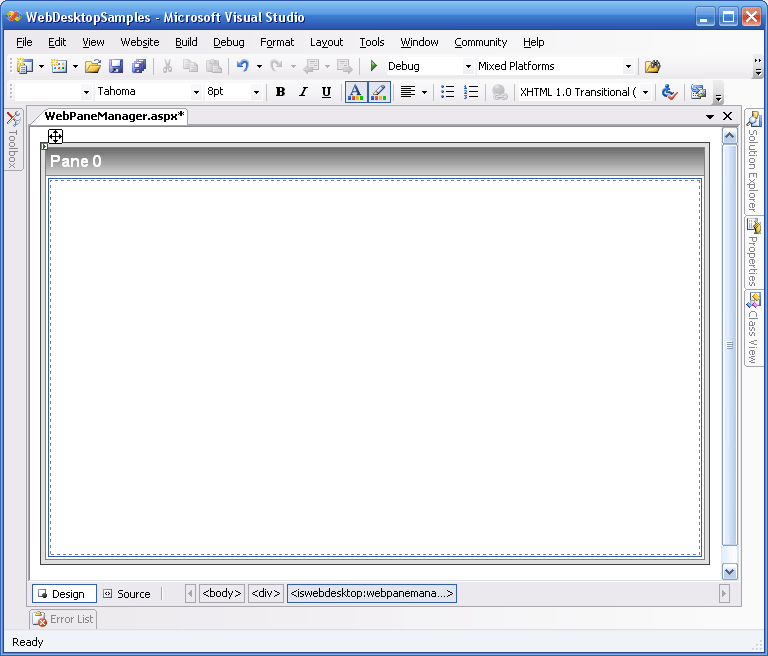
- Drag the WebPaneManager component from the Toolbox into the WebForm.
Remember to remove the DOCTYPE declaration and the html tag's xmlns attribute from the form before doing this.
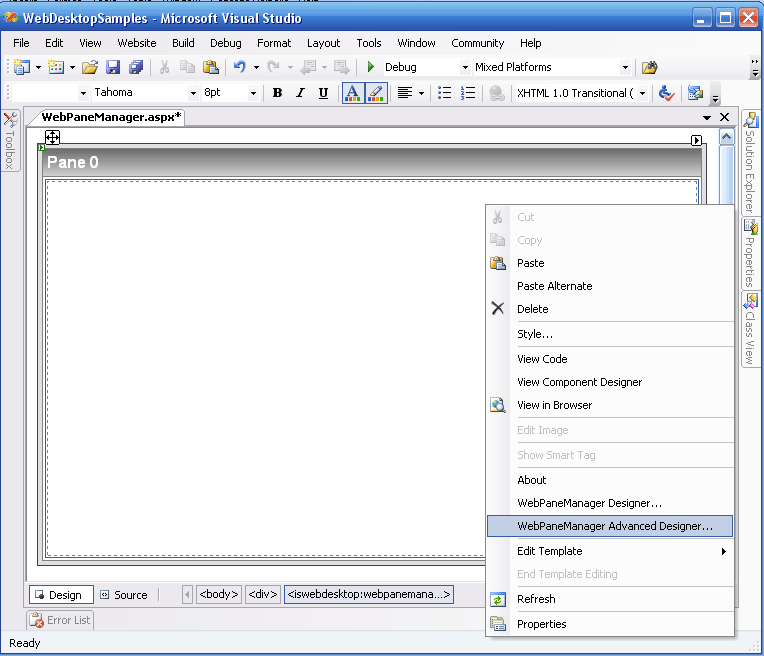
- Right Click on a WebPaneManager instance and choose WebPaneManager Advanced Designer.
- You will immediately have a Vertical "Root" GroupPane with a Pane inside of it. Named the Pane as Header. Change the "Root"
GroupPane GroupType property to Horizontal then add a new GroupPane to the GroupPane. Named the newly added
GroupPane as GroupContent.
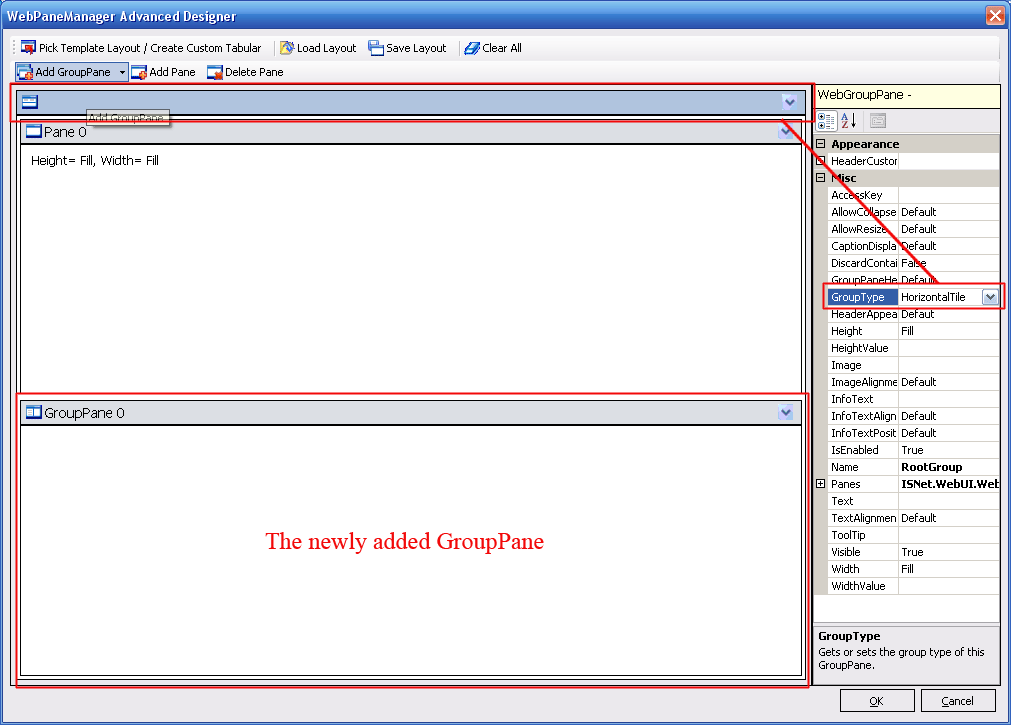
- Adjust the height of "Header" Pane and "GroupContent" GroupPane by using splitter. Simply mouse over space between them and your mouse cursor will change into a splitter.
- Set the GroupContent GroupType property to Vertical, then add 2 Panes to the GroupContent. Named the first pane
as "Side" and the second one as "Content".
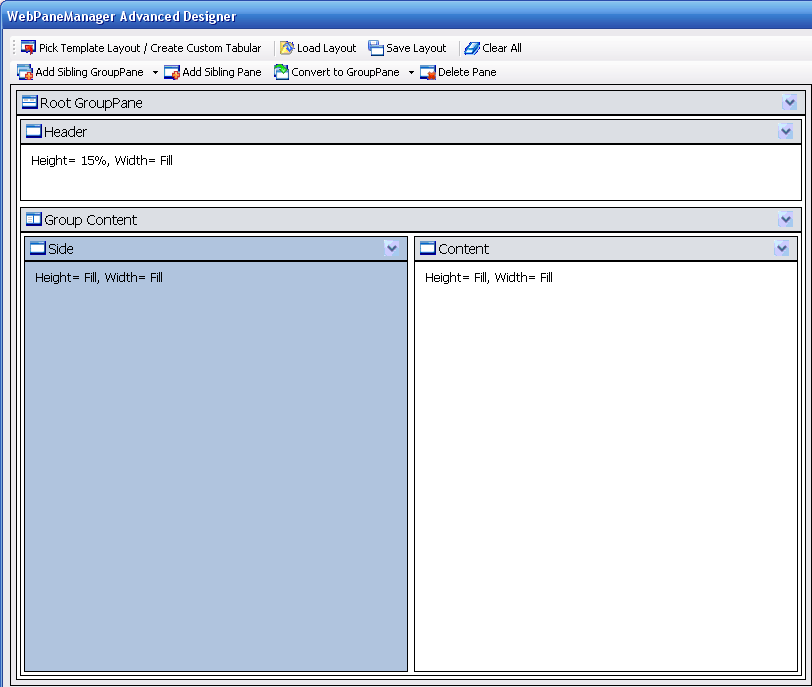
- Finally, adjust the width of "Side" Pane and "Content" Pane using the splitter.