


Objectives
You can use IFrame as a content in a WebPane. This property is only available for a WebPane object and not available in WebGroupPane.
The value of the property is an enumeration of type ContentMode which values are
| C# |  Copy Code Copy Code |
/// <summary> |
|
- You can access that property during DesignTime either by right clicking the WebPaneManager and choosing WebPane Designer or WebPane Advanced Designer.
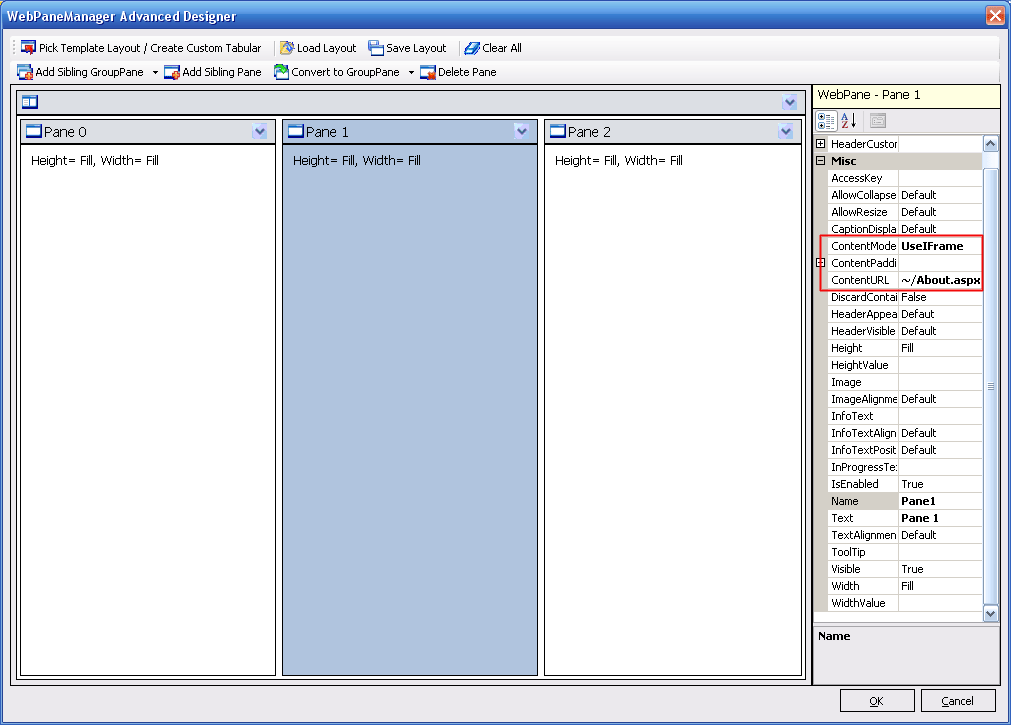
- When you choose the value of that property as UseIFrame, you can specify the ContentURL property as that property will only be used when the value of Content mode is set to UseIFrame. For example you can put ~/About.aspx as the value of ContentURL.
- In the snap shot below inside WebPaneManager Advanced Designer, the middle Pane is configured using IFrame Content mode.
- Once you return to the VisualStudio Design Surface, you will get something like below:
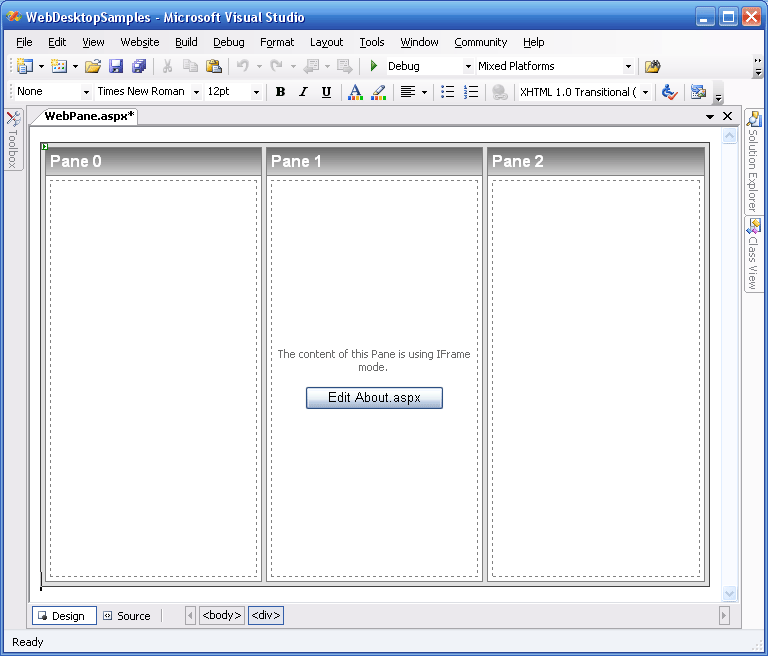
- If you notice, there is a button in the middle Pane with a Text "Edit About.aspx", when the button is clicked you will be automatically redirected to About.aspx page and it will appear in the Design Surface.
 |
If you still insist on using the InlineContent because you want to have other implementations in
that WebPane, that is also possible. To do that you can simply click on the Source Button in the VisualStudio Design Surface and write the <iframe> HTML Tag inside the Content Template tag. Below is one implementation how a WebPane with ContentMode = UseInlineContent can contain an iframe. |
| Script | Copy Code |
<iswebdesktop:webpane> |
|
 See Also
Related Tutorials
{Creating Simple Layout}