


Objectives
This tutorial objective is to show developer by demonstrating the properties which will affect the style and appearance in WebPaneManager. Basically, the properties are divided into 3 which are BasePane, GroupPane and Pane properties.
BasePane properties are inherited by both GroupPane and Pane, for example: CaptionDisplayMode. There are also other properties such as GroupPaneHeaderVisible for GroupPane and HeaderVisible for Pane.
The most important thing though, is the ability to inherit properties set at parent level. You can set the PaneSettings property of WebPaneManager and when it is set, it will automatically be inherited to all Panes contained in WebPaneManager.
This tutorial will guide you to configure the styles and appearance to suit your requirement.
- Basically, several designers have been provided for you to aid you in this. The WebPaneManager Designer and WebPaneManager Advanced Designer are
both available to be utilized for this purpose. To use the Advanced Designer, simply right click on the WebPaneManager, and choose "WebPaneManager
Advanced Designer", and to use WebPaneDesigner, click on "WebPaneManager Designer".
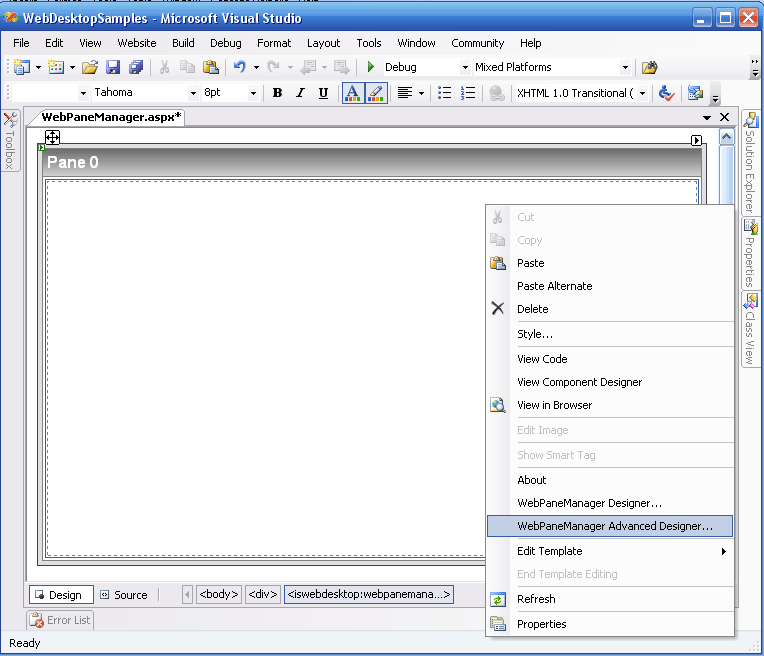
- If you want to set individual Pane properties, using the "WebPaneManager Advanced Designer" is highly recommended.
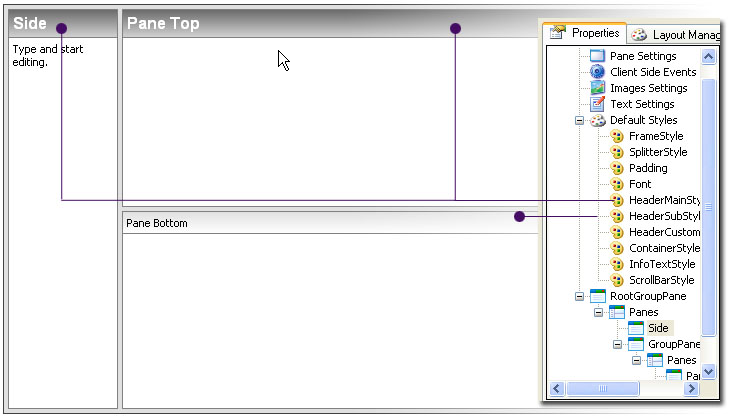
- But if you want to set the PaneSettings property which will be inherited to all panes, the WebPaneManager designer will be the right option. It
categorizes the PaneSettings sub properties in a convenient way for you to work with.
 See Also
Related Tutorials
{Creating Simple Layout}