


Objectives
In most cases you will only need to Layout your page using common layouting. For this purpose, a set of common layout has been provided for you such as HeaderAndSide, HeaderFooterAndSide, and more.
Here is step by step guide to use this feature:
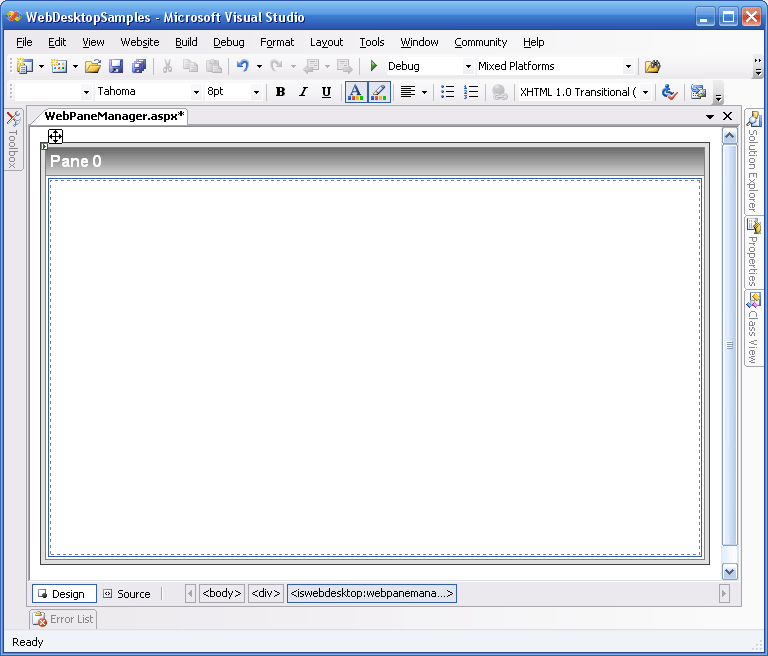
- Drag the WebPaneManager component from the Toolbox into WebForm.
Remember to remove the DOCTYPE declaration and the html tag's xmlns attribute from the form before doing this.
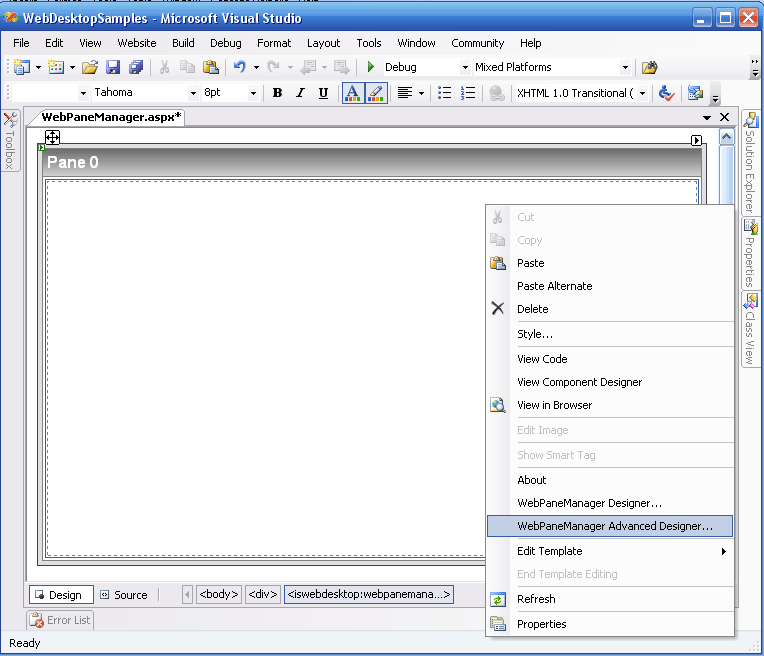
- Right Click on a WebPaneManager instance and choose WebPaneManager Advanced Designer.
- Once the Advanced Designer Form is popped, in the first toolStrip click on "Pick Template Layout / Create Custom Tabular" (refer to Pick Template Layout). Simply choose the Layout you desire.
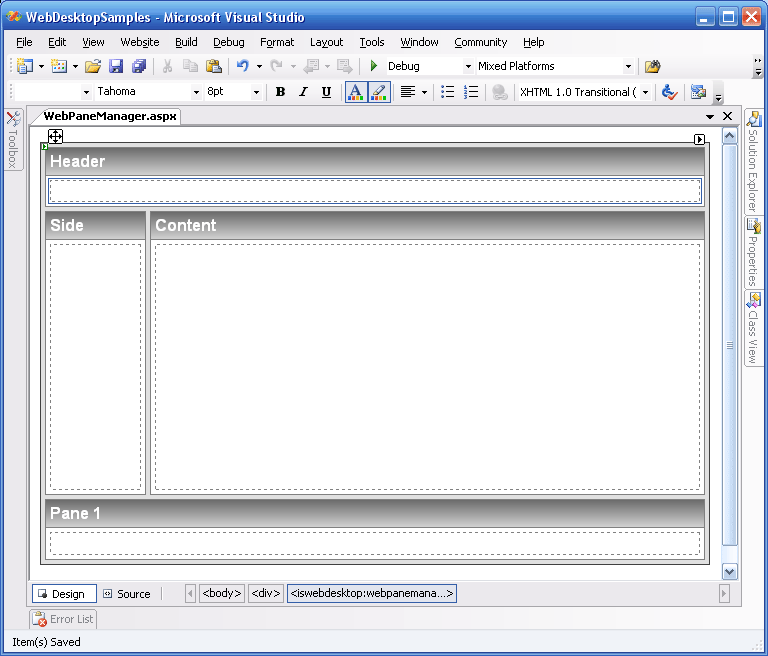
- Once you choose your layout and click Apply, you will be returned to the designer then click OK to apply it in VS Design Surface. (Assuming you
pick the HeaderFooter&Side template layout, you will get as below in your design surface).
 See Also
Related Tutorials
{Creating Simple Layout}