


Objectives
Disabling Resizing for a specific Pane is fairly simple. All you need to do in set the WebPane AllowResize property to No. The value of the property is an enumeration of type AllowCollapse which values are
| C# |  Copy Code Copy Code |
/// <summary> | |
- You can access that property during DesignTime either by right clicking the WebPaneManager and choosing WebPane Designer or WebPane Advanced Designer.
- In the snapshot below, the PaneSide AllowResize property is set to No so at run-time the Pane will be un-resizable.
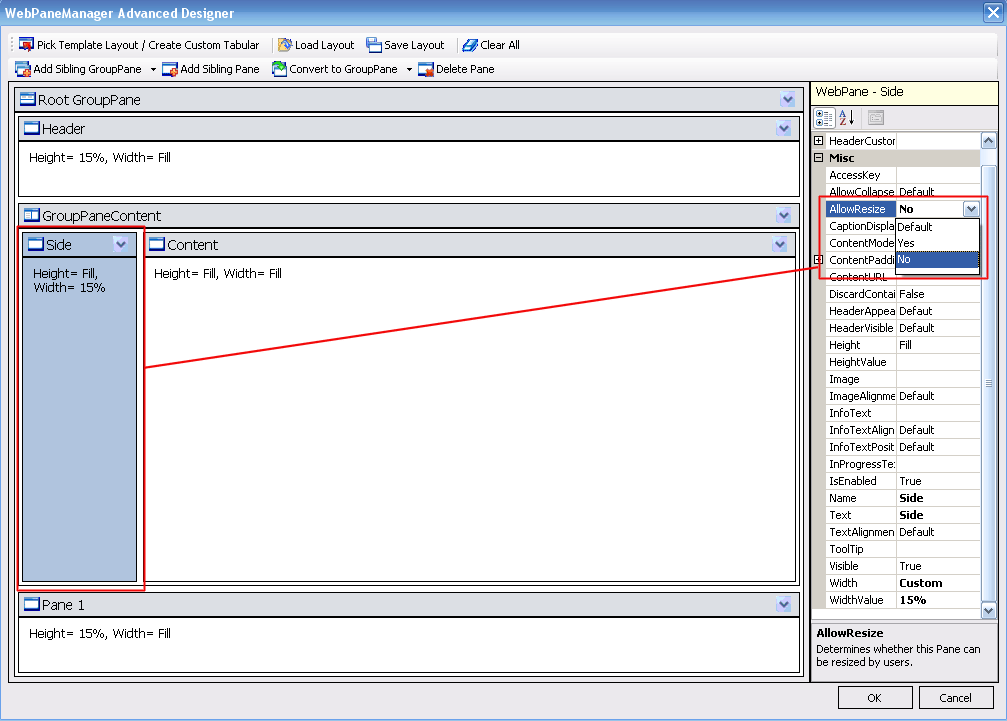
- After the property AllowResize is set to No, when you mouse over the border between the unresizable Pane and other Pane, the cursor will not change to splitter.
 See Also
Related Tutorials
{Creating Simple Layout}