 |
Working with PaneManager Editor Working with ClickAndEdit and Designers Splitter Integration |

Create Professional Office-like Layout in minutes
Use WebPaneManager as your primary Form Layouting component to easily manage the Pane structure as you desired. WebPaneManager lets you quickly create simple layout to complex Office-style layout which contains Header Element and fully customizable appearances. Use the provided Visual PaneManager Designer to create common Layout from Predefined Template with one click away.
Replace traditional Frame-based Layout with resizable one page-based Layout
WebPaneManager's TrueFill architecture makes it possible for you to build consistent Layout with Panes that are resizable and responding properly to window resize. Instead of creating separate pages by using Frame approach which caused inconvenience in scripting interactions, you can now create a single page with resizable Panes which you can configure easily in strong object model approach.
Create resolution-independence Form with better utilization of screen real estate
With WebPaneManager, you no longer has to worry about the various screen resolution of your end users' display. That is made possible with Automatic
Resizing feature in conjunction with TrueFill architecture, which manages the dimension of all available Panes to take best dimension of available spaces.
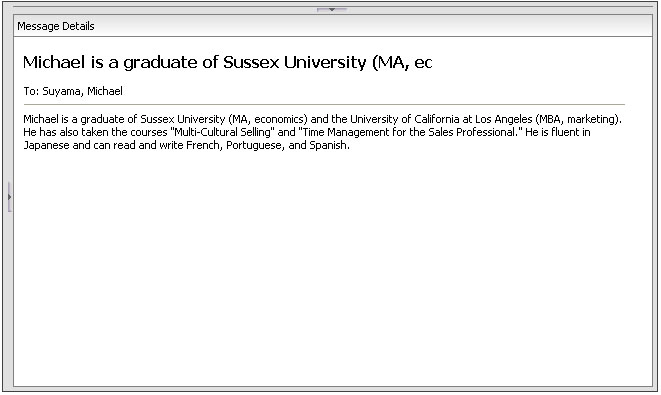
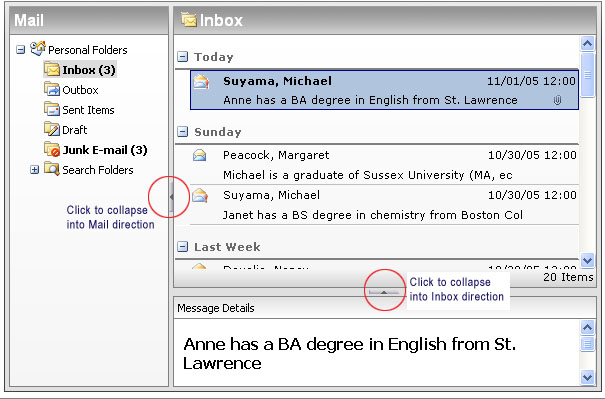
Combine with AllowCollapse feature, you can let your users to maximize the utilization of screen real estate by collapsing a Pane into a
specific direction at runtime.
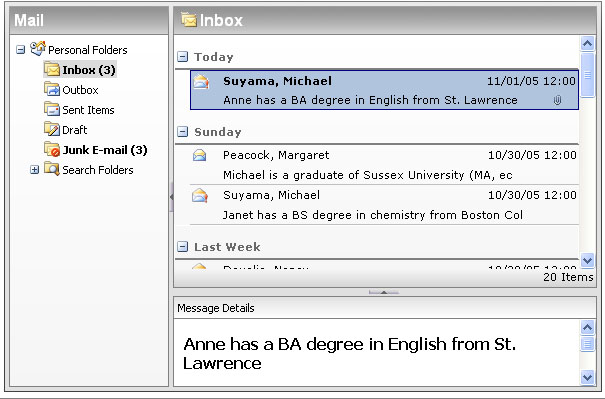
See following screenshot for more details.
Original Layout
Maximized View for Message Details