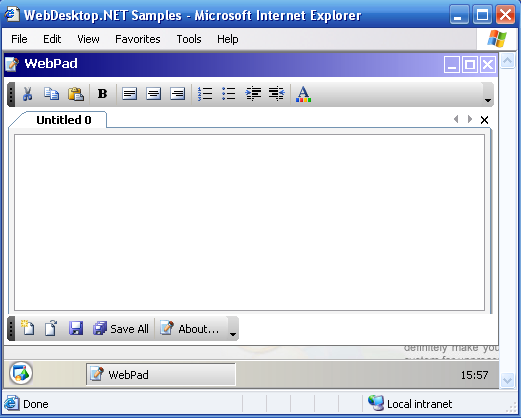
WebToolBar is one of essential member in WebDesktop.NET which allows you to create rich toolbar functions in the rich styles and behaviors of desktop's ToolBar. WebToolBar offers a set of advanced and unique features such as in the following:
- TrueShape
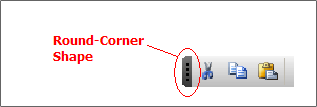
TrueShape is an innovative rendering technology which enables round corner shape to be rendered without the needs to use images. It is called TrueShape, because it does not only capable to render round corner between four edges, it also has the ability to blend perfectly into transparent background and filled gradient. With all these capabilities, you can create any kind of themes, for example, the blue Theme of Office Toolbar style or the silver theme, or any colors blending you liked. TrueShape technology is the beginning of new web applications model.
- TrueDock
TrueDock is the only correct implementation today which allowing end users to dock a ToolBar into four edges of designated content area. It is a truly powerful docking technology recognizing its capabilities to intelligently dock into multiple bars or dock into the same row in any edges. TrueDock automatically maintain its configuration and adjust required settings when the docking changed from horizontal to vertical position. All of these capabilities enable you to offer a high level of user interactivity and personalization for your end users.
- Docking and Floating
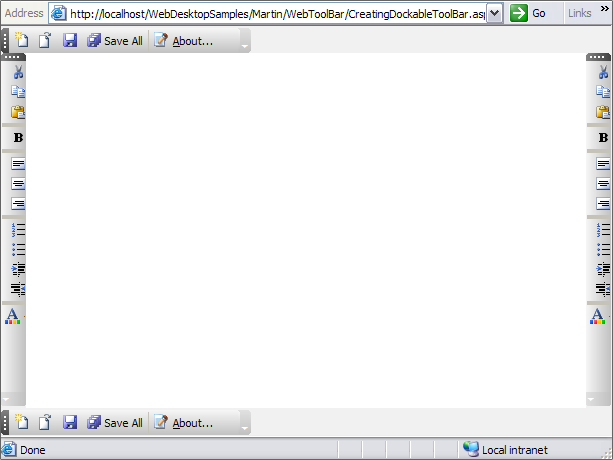
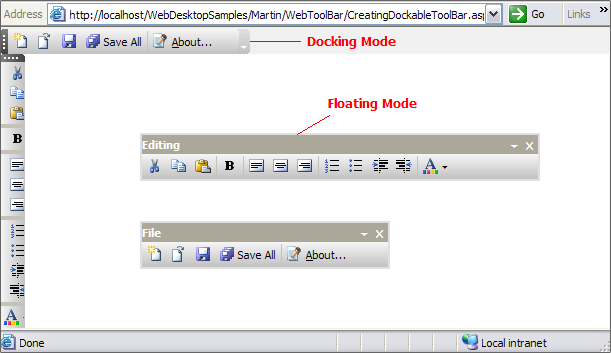
WebToolBar can be configured as docking and floating. For Docking mode, it allows you to freely customize the docking position of WebToolBar in the PlaceHolderManager, such as left, right, top and bottom. For Floating mode, it allows you to set the WebToolBar to be floated whenever you drag the WebToolBar.
- Rich ToolCommand Types
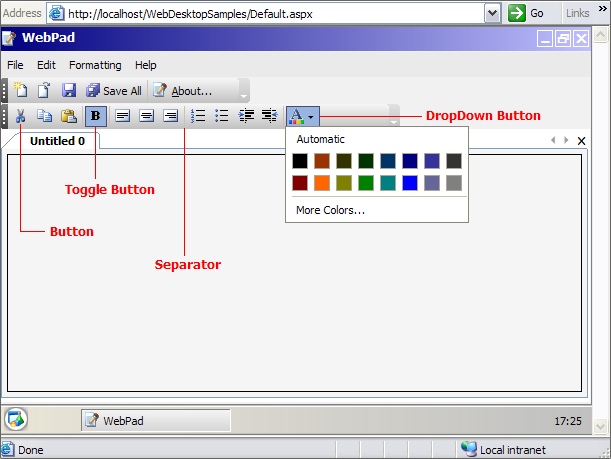
WebToolBar has several command types for its Items. These ToolCommand's Types consist of : Button, Toggle Button, DropDown Button, Split Button, Separator, Custom, and Container. To know how to configure ToolCommand Types, you may refer to Using ToolCommand Types tutorials section.
- Stand Alone and Integration Mode
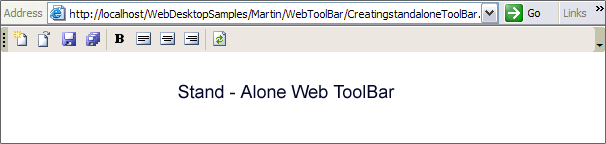
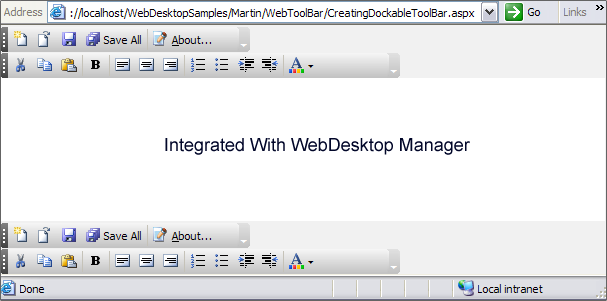
Stand Alone mode is best applied when you want to use the component in a single page which does not hosted in DesktopManager, whereas Integration mode is best applied when components are in the page which is hosted in DesktopManager and used Docking feature.
- ToolBar Merging
WebToolBar introduces Merging feature which allows you to Merge ToolBar from your parent page with child page. There are 2 types of Merging, which are ToolBar Merging and ToolCommand Merging. ToolBar Merging is used to combine Parent ToolBar with Child ToolBar from different pages. Hence, it will merge the whole ToolBars. ToolCommand Merging is slightly different compared to ToolBar Merging. It does not merge the whole ToolBar, but it does merge the ToolCommand instead. Hence, the Child's ToolCommand will be merged to Parent's ToolCommand using the container.
Parent ToolBar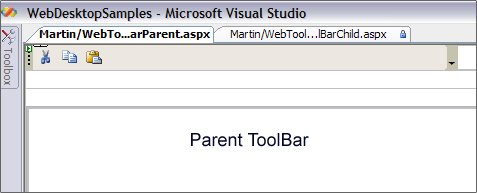
Child ToolBar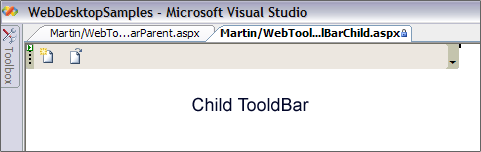
ToolBar Merging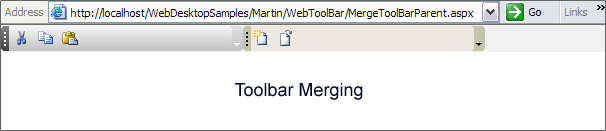
ToolCommand Merging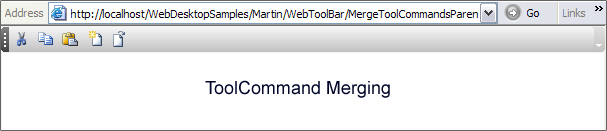
- Predefined Styles
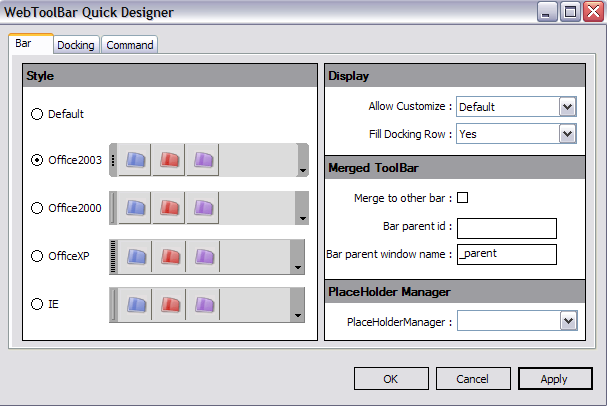
WebToolBar gives you a convenience way to define your own style or to use the predefined styles to create a stylish and professional looking ToolBar in minutes.
- ToolCommand Events
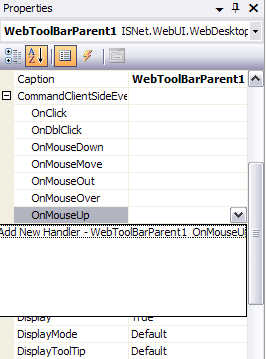
WebToolBar introduces numerous client side events that you can implement in order to create rich interaction and extensible web applications. Following is the list of available client-side events:
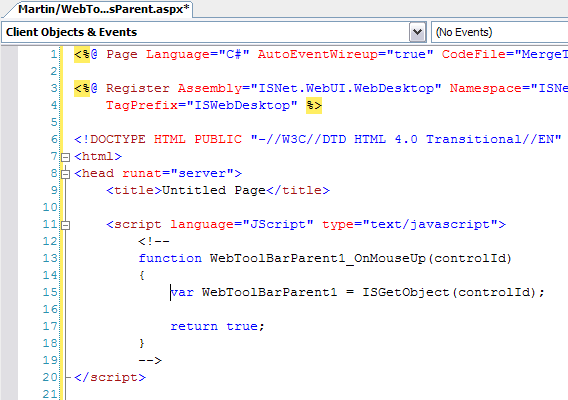
The OnMouseUp event is the best event handler where you can put your codes to perform some actions for the ToolBar Button such as open new window, save documents, exit from application, etc. For instance, you may want to display a WebDialogBox, you can use OnMouseUp Event to perform this action.
- OnClick
- OnDblClick
- OnMouseDown
- OnMouseMove
- OnMouseOut
- OnMouseOver
- OnMouseUp

The parameters passed to the events will be automatically created when you select "Add new handler..." on CommandClientSideEvents in Properties window.