


Introduction
WebDesktop.NET provides an innovative way to enhance the process at design-time. Related to WebToolBar there are two particular designers which very useful, they are Visual Menu Builder and Interactive PlaceHolderManager Designer.
These two designers are intended to give some visualization and ease the process when the design-time is take place.
Interactive PlaceHolderManager Designer
Interactive PlaceHolderManager Designer allows us to configure the docking area easily and at the same time give us freedom to works on the content of PlaceHolder directly.

The PlaceHolderManager structure is represented as a four-edge partitioned table, where each side acts as a container for docking, and the middle area acts as the content placeholder.
Using this interactive PlaceHolderManager Designer, the WebToolBar can be placed directly to any docking area by just clicking and dragging the object.
Furthermore the content placeholder type is not a ITemplate, which mean any content/controls can be placed directly in it and later on it can be
accessed in code behind without has to use FindControl.
For further information see Interactive PlaceHolderManager Designer Topic
Visual Menu Builder
WebToolBar has a builtin capability to show DropDown Buttons and Split Buttons. Managing these DropDownButtons and SplitButtons menu items might be hectic, because it might need to go deep inside the designer. This is the time where Visual Menu Builder can help.
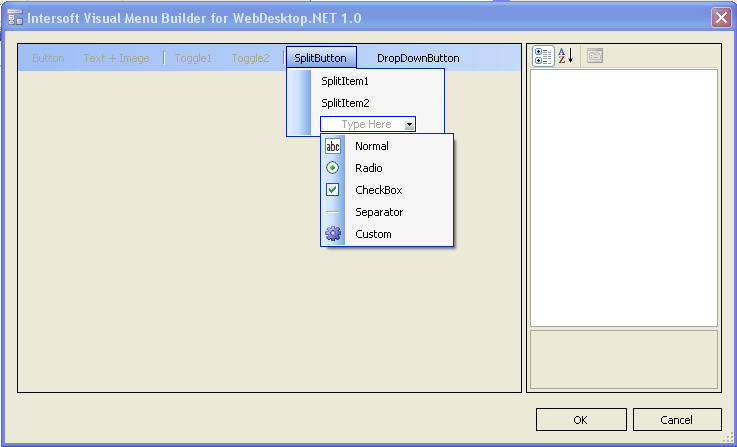
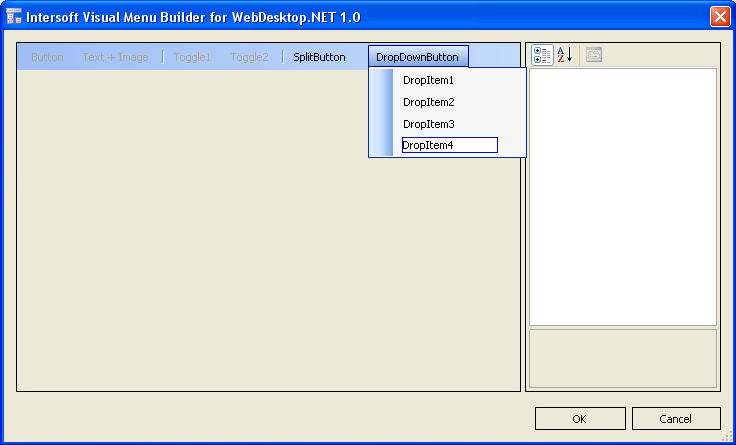
With a visualization of a WinForm menu editor, the Visual Menu Builder is intended to allow us easily and quickly define menu items (add/insert/delete), and also at the same time manage the properties of each menu object.
For more information see Visual Menu Builder Topic
 See Also
Related Article
Interactive PlaceHolderManager Designer
Visual Menu Builder