


 |
Keyboard Supports Available |

Create Windows Desktop-like ContextMenu
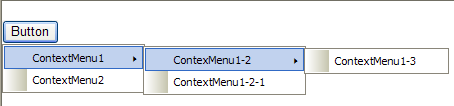
Use WebContextMenu control to easily build a Windows Desktop-like's ContextMenu. WebContextMenu is designed with a professional architecture and object model as well as specialized user interface for each elements. Therefore, WebContextMenu provides a flexibility to create a Windows-like ContextMenu object which is not only rich in styles, but also in every functions and behaviors.
Integration with DesktopManager
WebContextMenu has the ability to be integrated with DesktopManager. When integrated, WebContextMenu will refer to the DesktopManager instance and use the Styles defined in DesktopManager automatically. The benefits of this integration are faster page performance with reduced output and maintain the uniform "look & feel" in entire application effortlessly. Learn more about PlaceHolderManager concepts and Interactive PlaceHolderManager Designer for better understanding concepts.
Bind To Control
WebContextMenu provides you the easiest way on performing server-side controls integration. You just simply set the ControlId property to the server control's id, and the designer will do the integration part automatically without any extensive coding required.
MenuItem Types
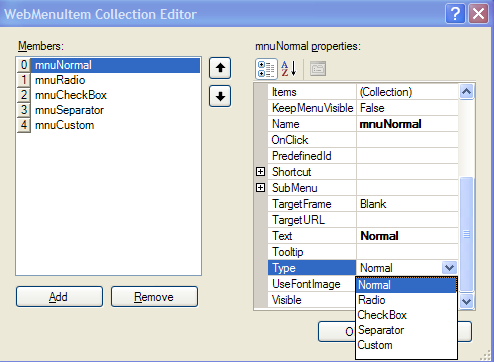 |
In MenuItem Types, we have 5 different types of command, such as: |
Client Side Events
The following table lists the client side events available in this release.
| Client Side Event | Description |
| OnInitialize | Invoked when control is initialized. |
| OnMenuItemClick | Invoked when the menu item is clicked. |
| OnShowMenu | Invoked when the menu is about to show. |
Refer to Handling Command Client Side Events for Tutorial guidance.
 See Also
Getting Started
{Features}
{Styles}
{Keyboard Supports}