Objectives
WebMenuBar provides a set of Command ClientSide Events in order to give you an easier way to implement or handle the processing of selected menu item through its ClientSide events. This tutorial will demonstrate how to invoke selected menu item using MouseUp client side event.
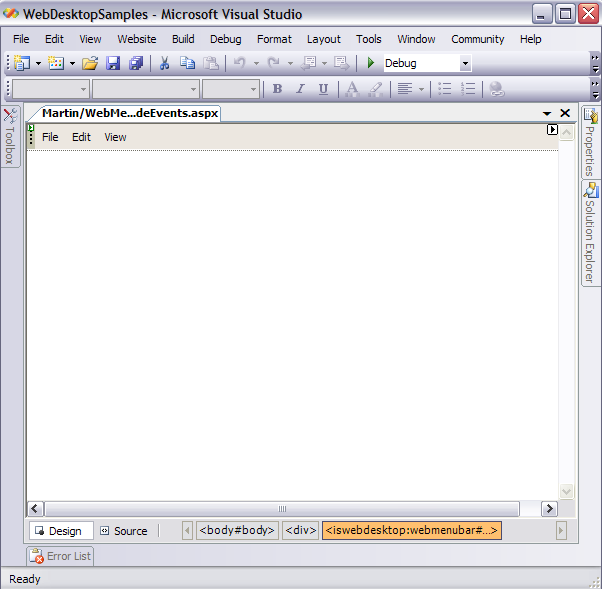
- Drag WebMenuBar from Toolbox into a WebForm page.
- Right-click on the MenuBar and choose WebMenuBarBar Designer. The designer box will appear as the following.
- Go to Menus and add menu commands as you desired.
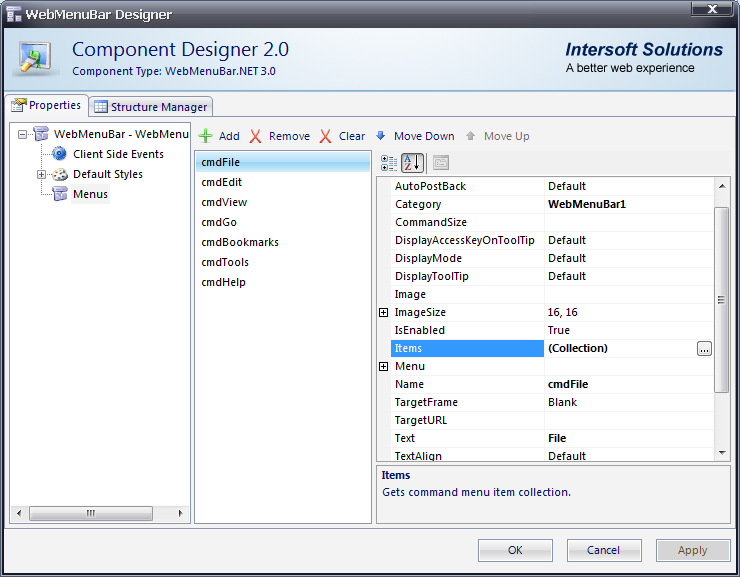
- In Items property on Menus node, click the Collection button. It will bring you to the WebMenuBarItem Collection Editor box.
- Again, you may freely customize menu commands item as you desired.

In MenuItem Types, we have 5 different types of command, such as:
- Normal
- Radio
- CheckBox
- Separator
- Custom
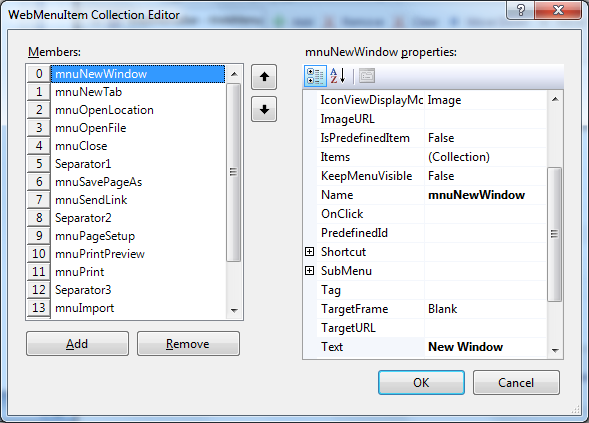
-
In the client-side, add the following codes:
Javascript  Copy Code
<script language="javascript" type="text/javascript"> function OnMenuCommands(controlId, menuCommand) { if(menuCommand.Text == "File") { if(menuCommand.SelectedMenuItem != null) { var mi = menuCommand.SelectedMenuItem; ExecCommand(mi.Text); } } } function ExecCommand(commandText) { switch (commandText) { case "New": alert("Implement New function"); break; case "Open": alert("Implement Open function"); break; } } </script>
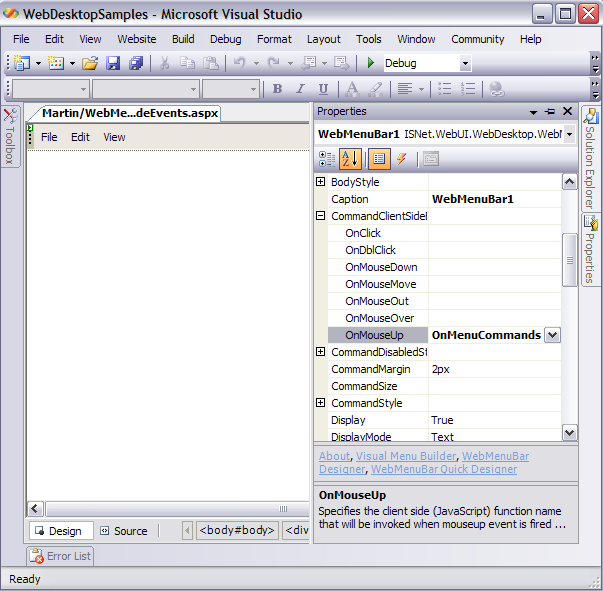
- Invoke OnMenuCommands() function from CommandClientSideEvents under MouseUp event.
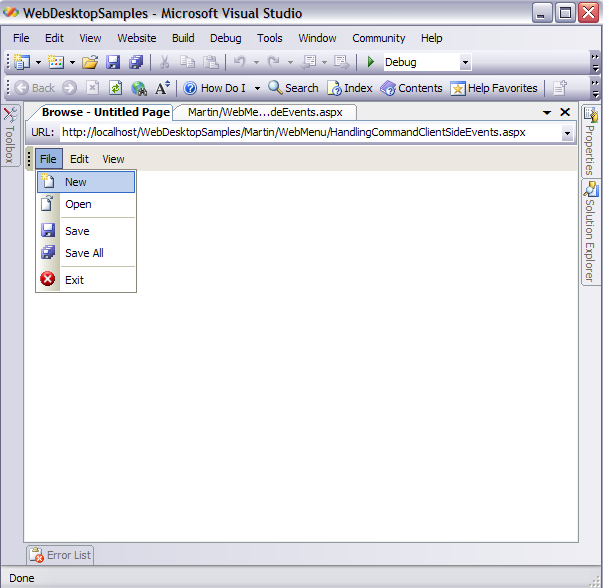
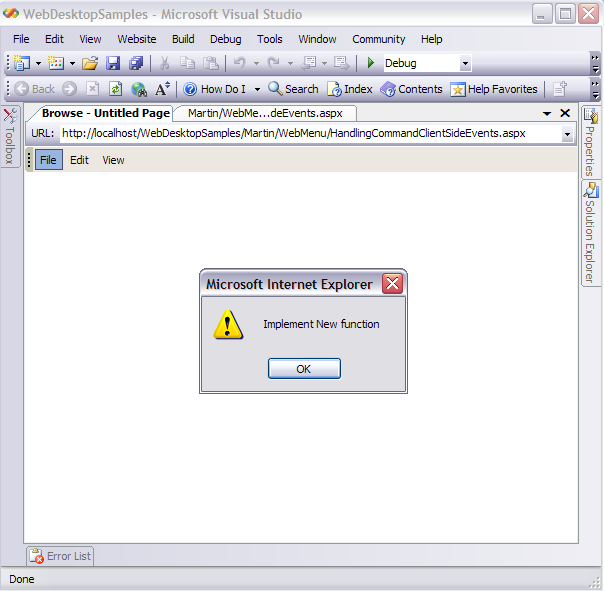
- Run the Project and you will see something like following.