


 |
Quick Start
|

Display visually stunning Notification
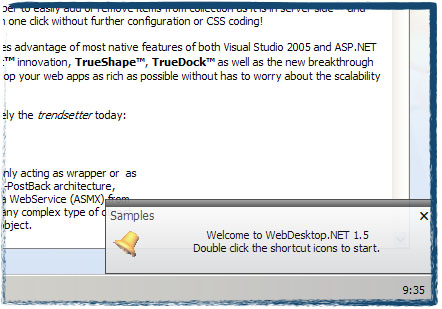
Use WebNotification to notify new events to your end users in stylish and professional way, such as displaying new emails or alerting server maintenance process. WebNotification allows you to configure numerous visual effect settings such as the animation style, fading speed and more. This will result in smooth and exciting user experiences while they are working with the application.
Easily retrieve new Notifications
WebNotification component asynchronously retrieves new Notifications from server side in every certain time interval. The control can retrieves the Notifications from either WebService (asmx) or WebForm (aspx) page. Designed with strongly-typed object model, you can easily return new notification events from server side codes. The asynchronous process allows seamless data retrieval and ensures extremely fast communication between client and server since WebNotification returns only the events data in XML format, instead of HTML control rendering result.
Create Outlook 2003 or MSN Messenger style Notification with built-in Action Context Menu
With WebNotification, you can quickly create modern notifications with Outlook or Messenger behavior. Since that WebNotification is designed specifically for notifications purpose, WebNotification replicates every single details of behavior available in Outlook or Messenger. For instance, when the WebNotification is configured in Outlook mode, the fade-out animation process will be canceled when mouse is over the WebNotification window. In addition, you can also configure the Action Context Menu so that end users can perform a choice of actions available to the notification event.
 See Also
Getting Started
{Features}
{Understanding Concepts}