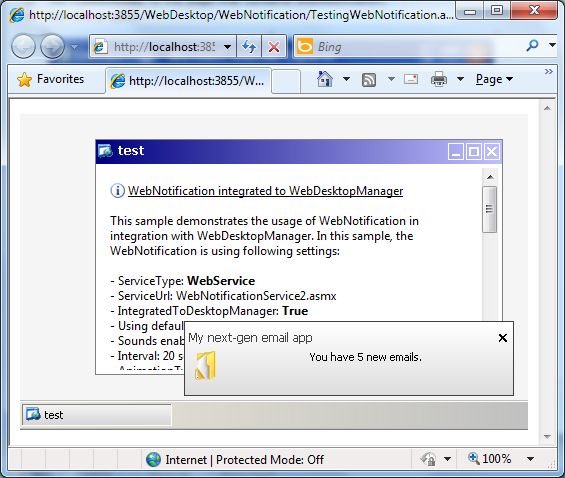
Objectives
WebNotification control is able to use WebForm type as its ServiceType. WebForm-based service has an advantage because it has a tighter security since this service is not directly exposed to public. Hence, it is not call-able from other pages except from WebNotification control itself. The WebForm service engine is built on the top of FlyPostBack architecture.
- Drag the WebNotification from ToolBox into the webform page.

- Create a WebForm as a listener for the control. In this webform, you can set text and caption to be shown by the WebNotification. The
WebNotification control will look for "GetNotifications" method in the specified webform page. The code looks like the following:
C#  Copy Code
[WebFlyPostBackMethod() ]
public WebNotificationEventCollection GetNotifications( WebNotificationEventArgs e)
{
WebNotificationEventCollection collection = new WebNotificationEventCollection ();
WebNotificationEvent evnt = new WebNotificationEvent();
evnt.CaptionText = "Samples";
evnt.ContentText = "Hello world from WebNotification!\nCurrent time is:" + DateTime.Now.ToLongTimeString();collection.Notifications = new WebNotificationEvent[] { evnt };
return collection;
}
In addition, you also need to include the code in Page_Load which constructs the listener. The Listener is an independent lightweight callback implementation to avoid HttpModule utilization, and built on the same architecture as Intersoft's FlyPostBack architecture.
C#  Copy Code
listener = new WebFlyPostBackListener(this);
This code describes that the function basically should return the "collection of events" which type is WebNotificationEventCollection. In this sample, it only returns single event which is passed to the Notifications property of the collection object.
- Open the WebNotification designer. Set the ServiceType to WebForm, and point the ServiceUrl to the created listener
WebForm.
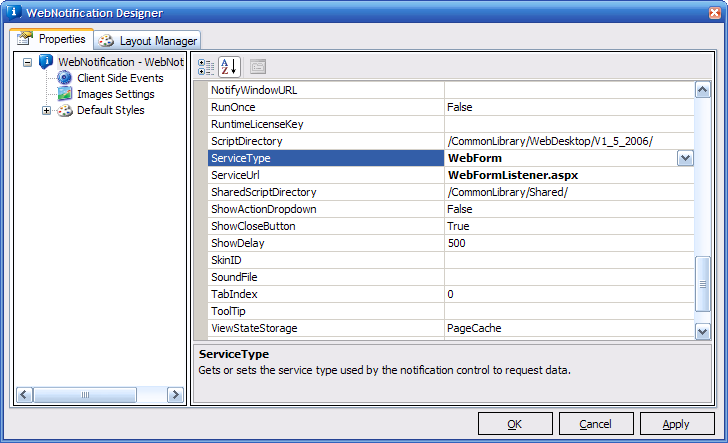
- Finally, run the WebForm to see the notification.