


WebNotification enables interactive push message systems to your ASP.NET applications. It’s an ideal tool for the ability to send notification messages from servers to clients. It also provides several popular themes, such as Microsoft Outlook 2003, MSN Messenger, and Metro style in version 4. WebNotification's broad and rich feature set supports all types of web applications regardless of their size and complexity. A few of its advanced features include a built-in context menu, clickable notification, and audio visual notification effects.
In version 4, WebNotification has been converted into HTML5 and CSS3 standards. It becomes more customizable and easily adapt with HTML5 pages.
These are the following details of enhancements and new features that have been implemented in WebNotification:
-
Customizable caption
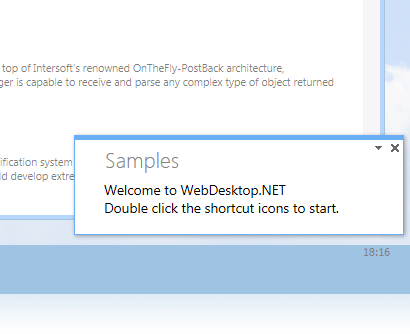
In HTML4, WebNotification only has CaptionStyle to adjust the caption styling. In HTML5, using CaptionTextStyle, you can adjust the text style inside Caption of WebNotification.
-
New intuitive style in WebDesktop 4
In version 4, WebDesktop presents a new style in each of its control. Metro style as the latest UI in Windows 8 had been implemented and became brand new UI in our WebDesktop control. Metro style makes WebDesktop simpler, tidier, and more attractive for each control's UI. The intuitive design of Metro style also provide consistency of each control in HTML5.
You can simply use Layout Manager to implement Metro style in WebDesktop.
For more information on how to apply this configuration, see How-To: Using Layout Manager.
 See Also
Features
Features