


WebTab offers numerous customizations, such as flexible tab size, structure management, scroll enable, closure enable, and automatic resizing. Set global widths, or switch to automatic adjustment according to the content’s width. Structure management is a unique feature which enables you to load the last saved tab structure programmatically at runtime. Scrolling enables users to scroll through all tab items when there are too many tabs to fit the width of the WebTab control.
In version 4, WebTab has adopted HTML5 and CSS3 standards. The container has fluid height regarding to DefaultTabItemHeight property and WebTab’s Height. The consistency of HTML5 rendering also makes WebTab as pixel-perfect control which can be filled regarding its container.
These are the following details of enhancements and new features that have been implemented in WebTab:
-
Fluid content
There are differences between HTML4 and HTML5 rendering and they cause a height gap in WebTabItem. To resolve this issue, you can specify the height of its header by using DefaultTabItemHeight property. Please take a note as well about padding inside WebTabItem. In version 4, you don’t have to use padding to make the content inside WebTabItem centered in HTML5. The content inside WebTabItem by default is centered using our code. Default value in HTML5 for DefaultTabItemHeight is 23px.
-
Separator visibility
In version 4, you can also define the visibility of Tab item's separator whether in active state or normal state. Simply by changing AlwaysVisibleSeparator to true value, WebTab will show the separator whether in active or normal state.
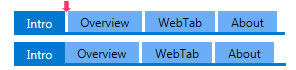
-
New intuitive style in WebDesktop 4
In version 4, WebDesktop presents a new style in each of its control. Metro style as the latest UI in Windows 8 had been implemented and became brand new UI in our WebDesktop control. Metro style makes WebDesktop simpler, tidier, and more attractive for each control's UI. The intuitive design of Metro style also provide consistency of each control in HTML5.
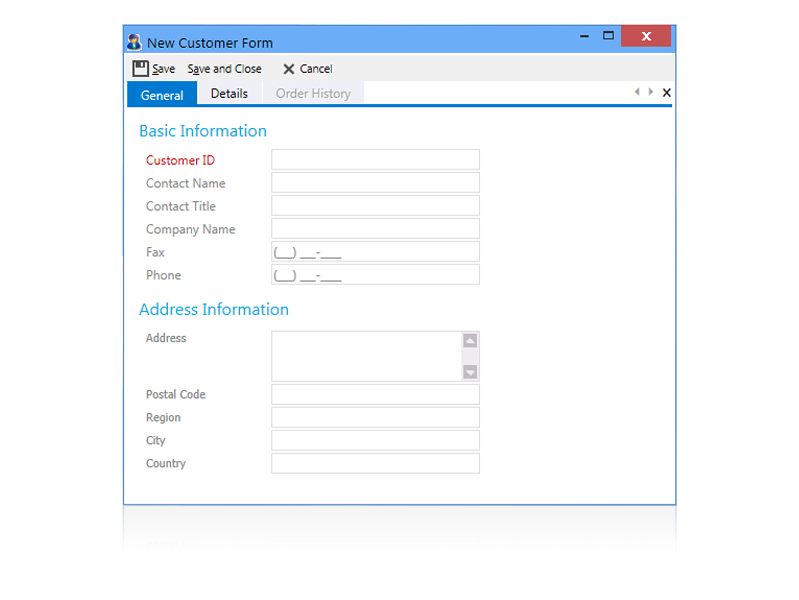
You can simply use Layout Manager to implement Metro style in WebDesktop.
For more information on how to apply this configuration, see How-To: Using Layout Manager.