Objective
The "Add Group Pane" toolStrip DropDown is used to add a Group Pane to the currently selected pane.
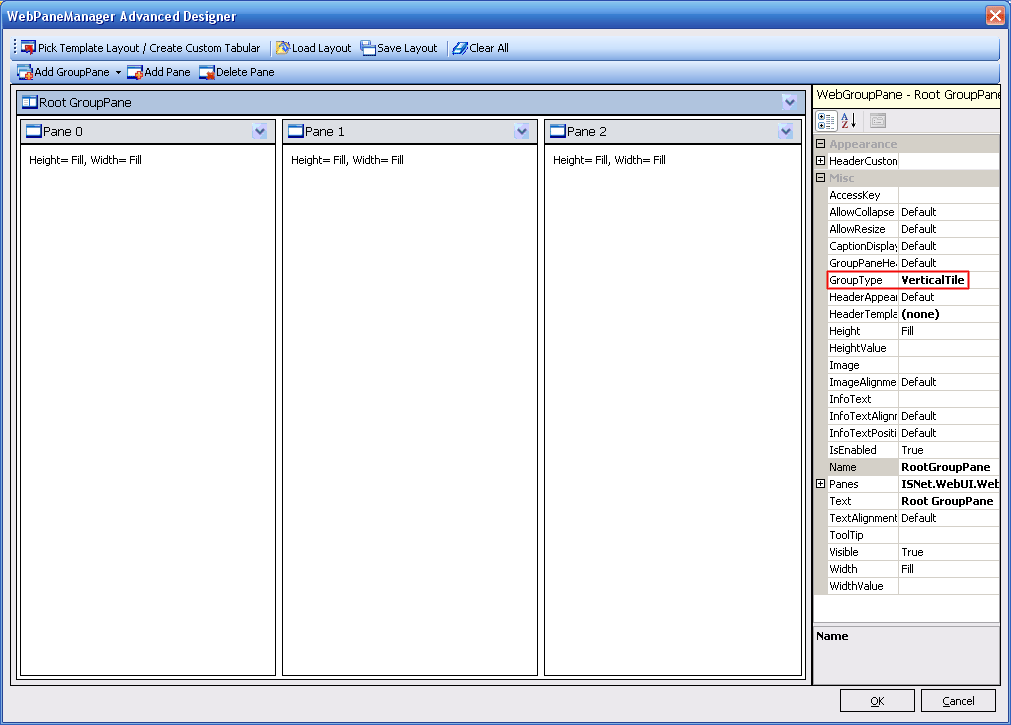
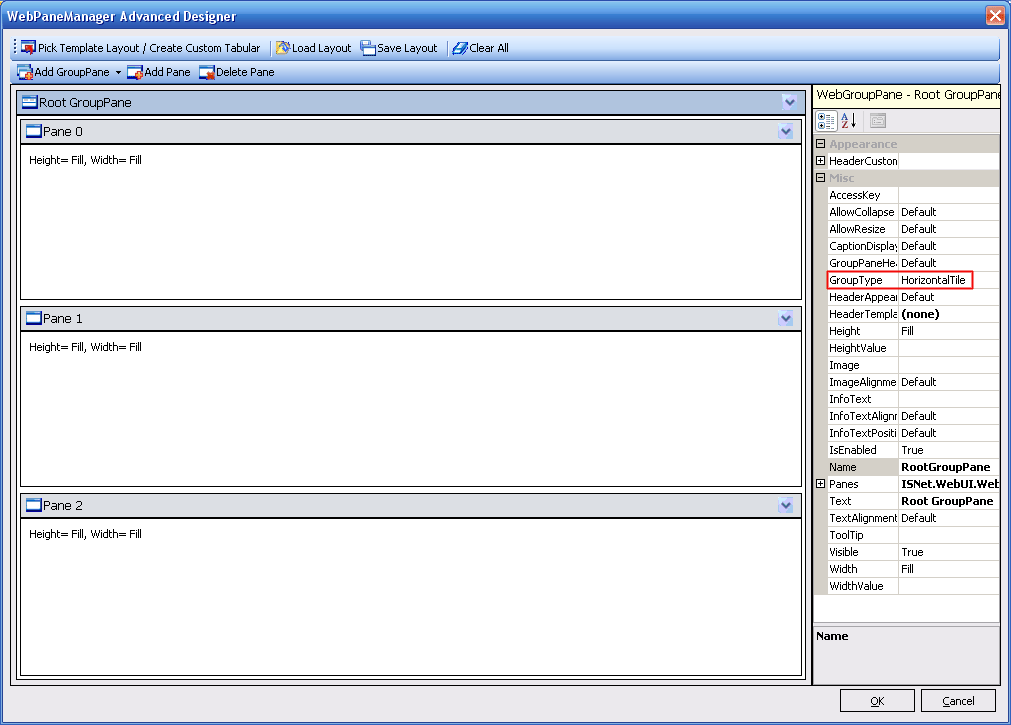
A Group Pane which contains pane(s) inside of it has a property named GroupType the value is an enumeration of type GroupPaneType, it's either Vertical or
Horizontal.
So you can not for example create a GroupPane with a 2(rows) x 2(columns) panes. You will need to have 2 GroupPanes and 4 Panes.
This toolStrip menu is only visible when a GroupPane is selected.
To better illustrate about this property look at the snapshot below.
Horizontal GroupPane with 3 Panes
Click on the AddGroupPane then choose Horizontal then add 3 panes using "AddPane".
The result should be like below:
Vertical GroupPane with 3 Panes
Click on the AddGroupPane then choose Vertical then add 3 panes using "AddPane".
The result should be like below: