Introduction
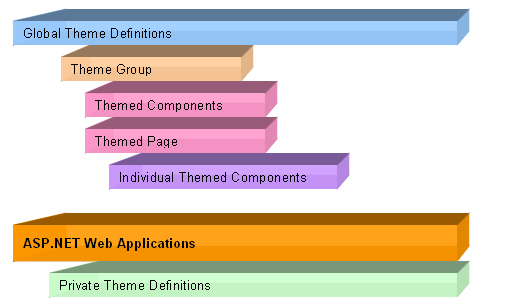
Intersoft has implemented its own unique theme architecture since WebUI.NET Framework 1.0 which enables a definition of xml-based layout file to be reusable and applied across entire web application to produce consistent visual styles.
At a glance, the theme architecture consists of multi-level inheritable object model represented in following diagram:
WebUI StyleManager comes along in WebDesktop.NET member to provide the capabilities for managing and deploying themes within a
web application. It offers Visual Theme editing functions allowing designer to easily work with the components' hierarchy as well as out-of-the-box experience
for style editing and previewing.
Workflow Diagram
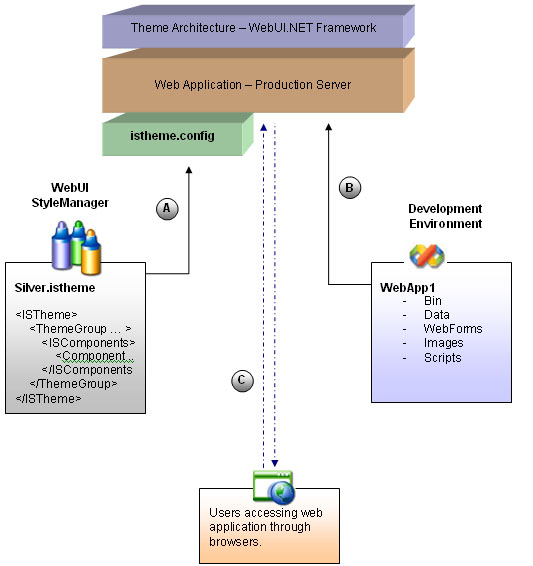
The following diagram shows the relations and workflow between theme architecture, WebUI StyleManager and theme deployment in more details.
 |
WebUI StyleManager acts as standalone WinForm application allowing designer to work independently. StyleManager will automatically detect all installed Intersoft's components which based on WebUI.NET Framework and allow designers the style for the installed components in WYSIWYG fashion. In the theme deployment process, StyleManager will connect to the web application and automatically deploy necessary files into the specified folder. The deployed theme project will be named as "istheme.config" in the root of your web application. |
 |
Administrators or developers can build the application without has to concern the design or style of the component. The application can be deployed as usual through XCOPY deployment to server. |
 |
When the application is running and requested through browser, WebUI.NET Framework (through Theme architecture) will detect for istheme.config file and automatically apply the contained theme information and component's style definition to the requested page. |
Teamwork View
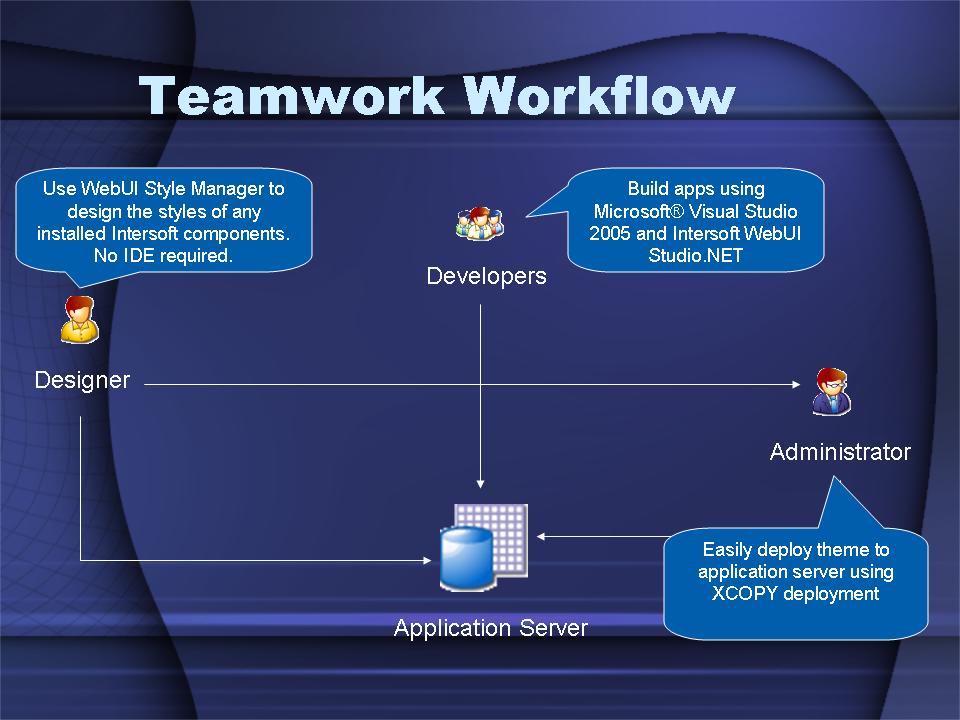
With the tight integration between WebUI.NET Framework, Theme architecture and WebUI StyleManager; it opens the possibility for better team-mode working where designers can work with developers in parallel. The result is significant productivity enhancement and better resources utilization for further extensibility.
The following illustration shows the orchestration in teamwork view.