


WebDesktopManager employs an object-based approach to give you granular control over every visual aspect of its elements. Offering a rich set of properties to control shortcut, icons, taskbar, and window elements, it enables you to create the precise appearance your desktop requires with a minimum of effort.
In version 4, WebDesktopmanager has been fully support for latest web standards and style sheet language which are HTML5 and CSS3. WebDesktopManager also allows you to use many cutting-edge technologies such as HTML5, CSS3 and powerful features offered for your next-generation web applications.
These are the following details of enhancements and new features that have been implemented in WebDesktopManager:
-
Fluid content
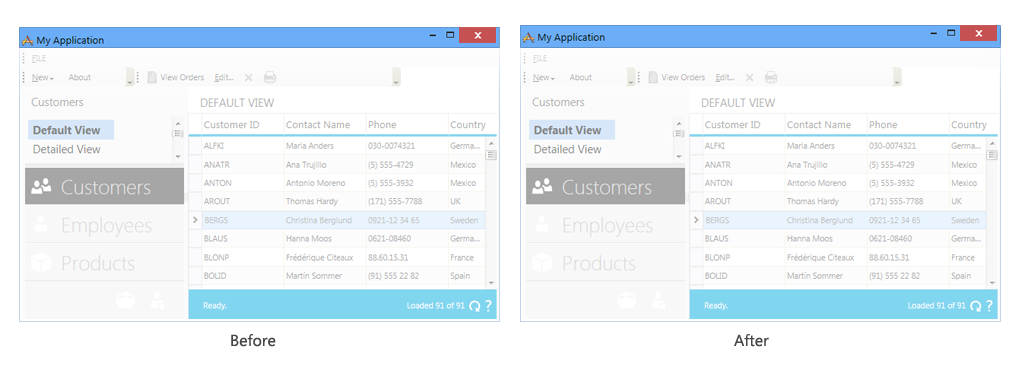
To enable height percentage of WebDesktopManager, you only have to set Height property in TaskBarStyle and WindowHeaderHeight in WindowSettings. During implementation, height of Desktop will depend on WebDesktopManager’s Height property and TaskBarStyle’s Height property and the rest will be calculated automatically by our control. Also the content of WebDesktopWindow will be fluid as it should be regarding to WindowHeaderHeight and its Height. This configuration is necessary because of element changed from table to div.
-
Smooth moving and resizing
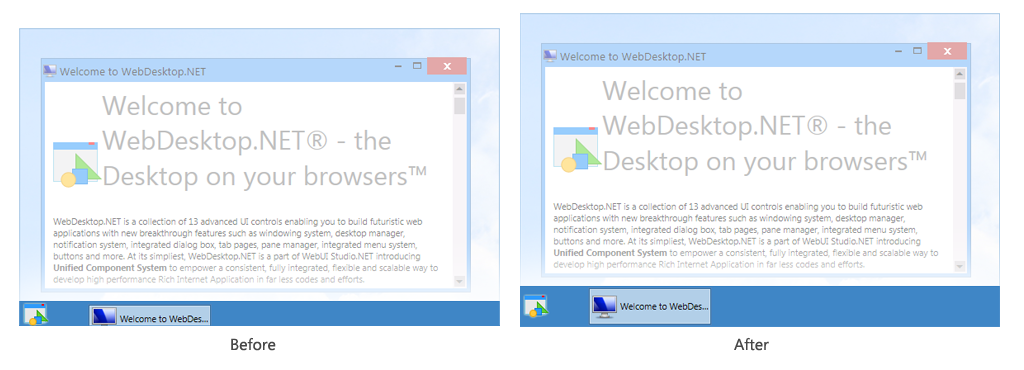
Adoption of HTML5 causes changes in performance on WebDesktopManager. HTML5 enables consistent results and pixel-perfect rendering in all modern browsers that makes smooth moving and resizing in all browsers that support HTML5.
-
Stand-alone TaskBar’s image
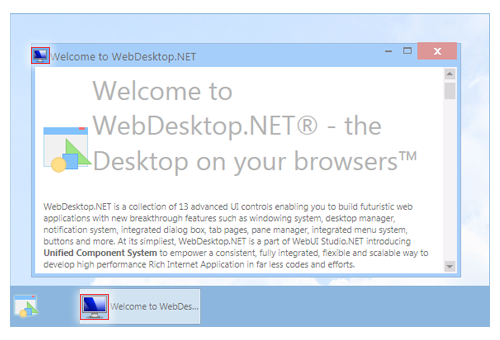
In WebDesktop 4, you can specify image inside Taskbar by using TaskBarImage in WebDesktopWindow or WebDesktopShortcut.
-
Container style when using complex images border
When using complex images border type, you can apply container style inside WebDesktopWindow by changing the value of ApplyContainerStyle to true value. In usage the container will have the specific class that shows the container in different way from its frame.
-
New intuitive style in WebDesktop 4
In version 4, WebDesktop present a new style in each of its control. Metro style as the latest UI in Windows 8 had been implemented and became brand new UI in our WebDesktop control. Metro style makes WebDesktop simpler, tidier, and more attractive for each control's UI. The intuitive design of Metro style also provides consistency of each control in HTML5.
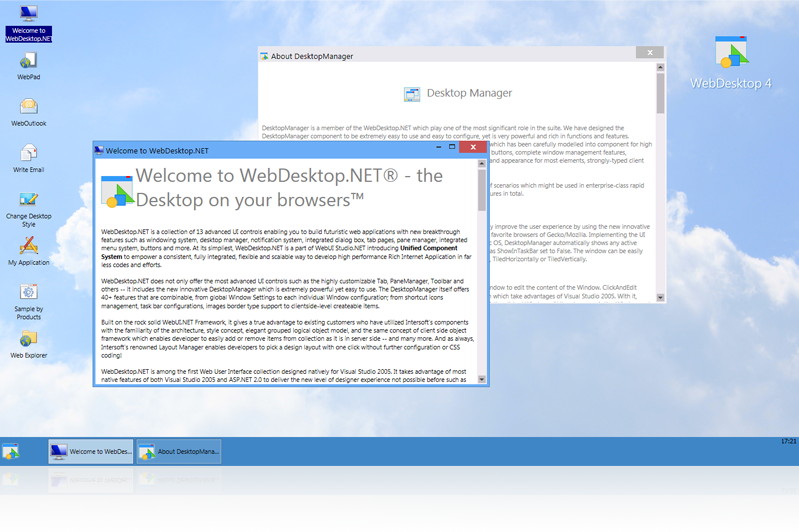
You can simply use Layout Manager to implement Metro style in WebDesktop.
For more information on how to apply this configuration, see How-To: Using Layout Manager.

Note that Internet Explorer 10 or later no longer supports the legacy DX filters when the document type is HTML5. Therefore, some features such as loader transition will no longer work in such conditions. You can, however, force to enable legacy filters in Internet Explorer 10 by enabling the Render Legacy Filters option in Internet Options' Security tab.
 See Also
Features
Features