


Introduction
Intersoft's WebTab component implements the appearances and rich behaviors of Tab in Desktop Application.
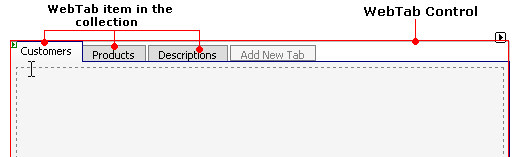
The WebTab object represents the main operational area which contains a collection of tab items. You can add as many tab items as you like into this collection, you can even configure it globally through the main WebTab object, or set it individually through each item's property.
All Tab items that are currently inside the collection will be displayed in the design time, and as a result of ClickAndEdit™ and ClickAndSelect™ technologies you can edit the content of each tab item straight away, regardless of using IFrame or InlineContent as the ContentMode.
More Details
WebTab component has been designed in high details. The component hierarchy of WebTab in both development and runtime environment will be explained in this section.
WebTab object is created by default to have a value of height 300px and width 500px which you can easily resize either by setting it in the property, or resizing it directly through the designer. You can specify the size of WebTab in pixels or in percentage measurement.
As what we have mentioned above, a WebTab object consists of a tab items collection. Each of this tab items has its own property that can be set individually, or set globally using the default property inherited from the WebTab object.
The list of properties that can be set at Tab Item level:
- Style
- AccessKey
- AllowClose
- CaptionDisplayMode
- ContentMode
- ContentURL
- Image
- ImageAlignment
- InProgressText
- IsEnabled
- IsSeparator
- Name
- Text
- Tooltip
- Width
Component Hierarchy Illustration
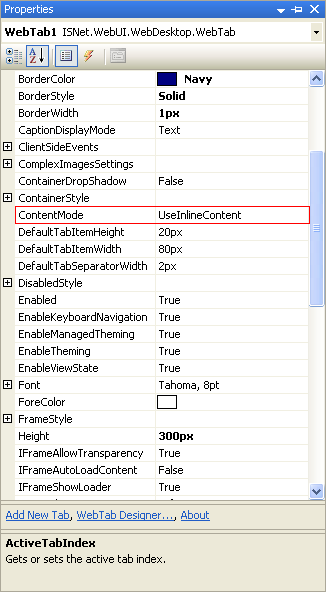
Picture 1: WebTab object property list.
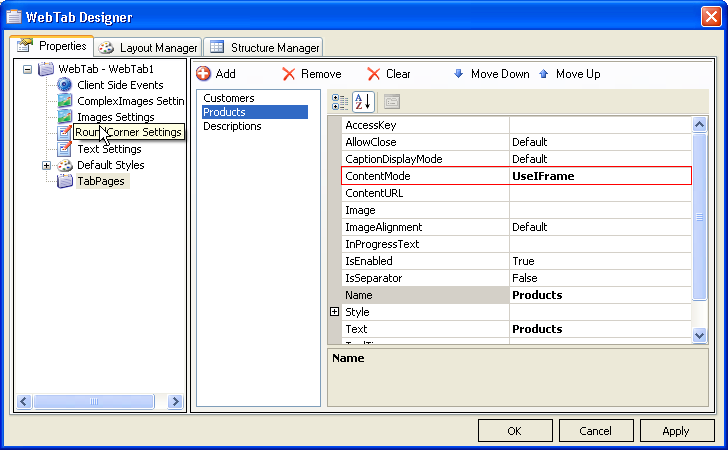
Picture 2: Tab item property list from WebTab Designer.
WebTab's main property is shown in picture 1. In WebTab1, we have a collection of Tab Items which consists of "Customers", "Products", and "Description" Tab.
For example, In the WebTab object's property, we set the ContentMode into "InlineContent", which means by default, all of the Tab Items in the collection will have "InlineContent" as the default ContentMode. You can still configure each individual TabItem from the designer (WebTab Designer).
 See Also
Related Topics
{Overview}
{Features}