Introduction
The WebDesktopManager component exposed rich Desktop's behavior which is close to the popular's desktops with the implementation of Desktop element in the user interface.
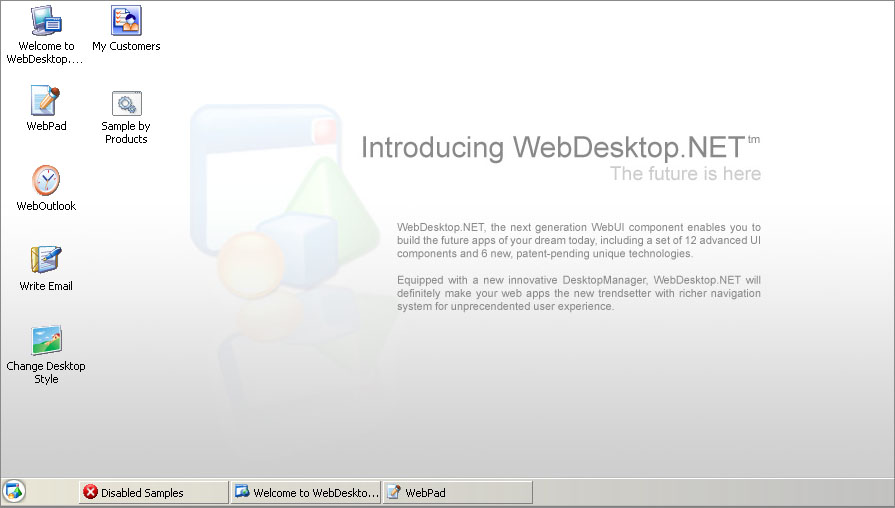
A Desktop represents the main working area, where a collection of shortcuts and open Windows resides. In today's popular concept, a Desktop also contains TaskBar which lists all currently open Windows.
More Details
All elements and aspects of a Desktop have been implemented as a reusable component in WebDesktopManager with high details. This section will explain the componentized WebDesktopManager in both development and runtime environment.
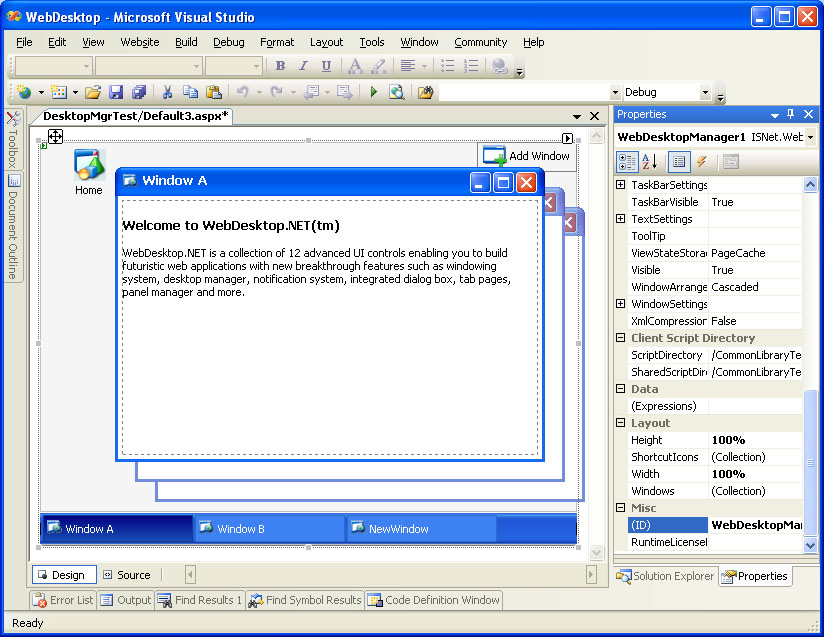
At design time, developers can interact with the Desktop through an instance of WebDesktopManager control. The Desktop boundary is represented in the Width and Height of the WebDesktopManager's instance which have default value of 100%.
The following shows a WebDesktopManager instance on the top of a WebForm in design time.
 |
Most Desktop's configurations can be customized at the WebDesktopManager control instance, such as the visibility of shortcut icons, taskbars, taskbar configurations and more. |
The following is an illustration of a Desktop of WebDesktopManager in runtime environment.