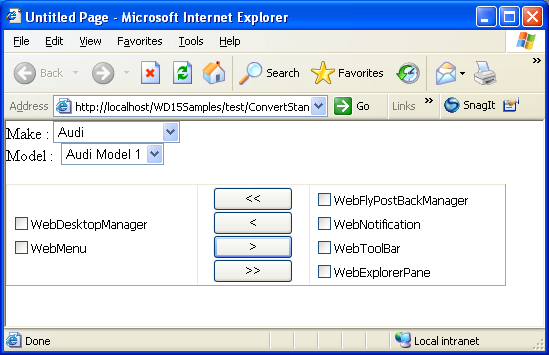
Objectives
This tutorial demonstrates how to convert standard controls to use callback.
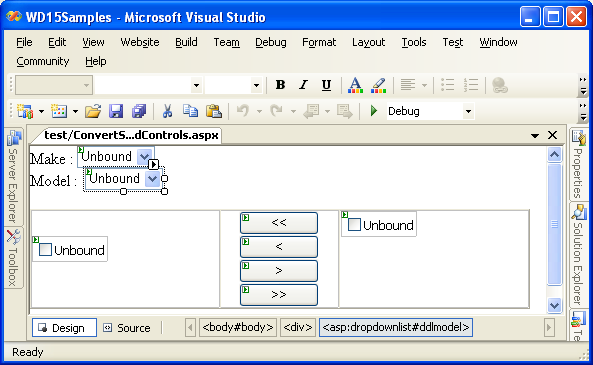
- Drag two DropDownList controls into the WebForm and name them ddlMake and ddlModel.
- Drag two CheckBoxList control into the WebForm.
- Drag 4 Button controls into the WebForm.
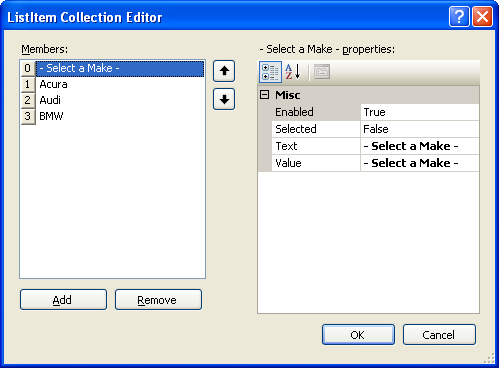
- Add some items to ddlMake.
- Set AutoPostBack property of ddlMake to True.
- Specify a method for SelectedIndexChanged server side events and add the following code.
C#  Copy Code
protected void ddlMake_SelectedIndexChanged(object sender, EventArgs e) { ddlModel.Items.Clear(); if (ddlMake.Text != "- Select a Make -") { for (int i = 1; i <= 5; i++) ddlModel.Items.Add(new ListItem(ddlMake.Text + " Model " + i.ToString(), i.ToString())); } ddlMake.SelectedIndex = 1; }
- Add button's OnClick event to add and remove items between CheckBoxLists.
C# Copy Codeprotected void Button3_Click(object sender, EventArgs e) { // move to right bool hasSelection = false; for (int i = 0; i < CheckBoxList1.Items.Count; i++) { ListItem item = CheckBoxList1.Items[i]; if (item.Selected) { hasSelection = true; MoveItem(item, CheckBoxList1, CheckBoxList2); i--; } } } protected void Button1_Click(object sender, EventArgs e) { // move all to left for (int i = 0; i < CheckBoxList2.Items.Count; i++) { ListItem item = CheckBoxList2.Items[i]; MoveItem(item, CheckBoxList2, CheckBoxList1); i--; } } protected void Button2_Click(object sender, EventArgs e) { // move to left bool hasSelection = false; for (int i = 0; i < CheckBoxList2.Items.Count; i++) { ListItem item = CheckBoxList2.Items[i]; if (item.Selected) { hasSelection = true; MoveItem(item, CheckBoxList2, CheckBoxList1); i--; } } } protected void Button4_Click(object sender, EventArgs e) { // move all to right for (int i = 0; i < CheckBoxList1.Items.Count; i++) { ListItem item = CheckBoxList1.Items[i]; MoveItem(item, CheckBoxList1, CheckBoxList2); i--; } } private void MoveItem(ListItem item, CheckBoxList from, CheckBoxList to) { to.Items.Add(new ListItem(item.Text)); item.Selected = false; from.Items.Remove(item); }
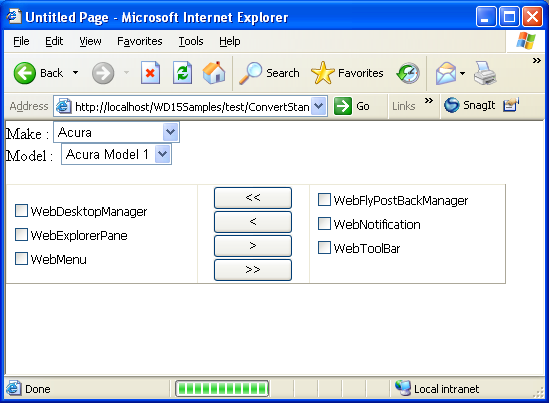
- Run the page. Selecting a value from ddlMake to populate data in ddlModel will cause full page postback.
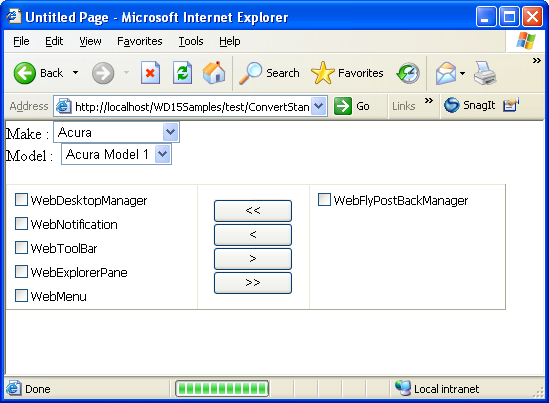
Clicking the button to remove items between CheckBoxLists will also cause full page postback.
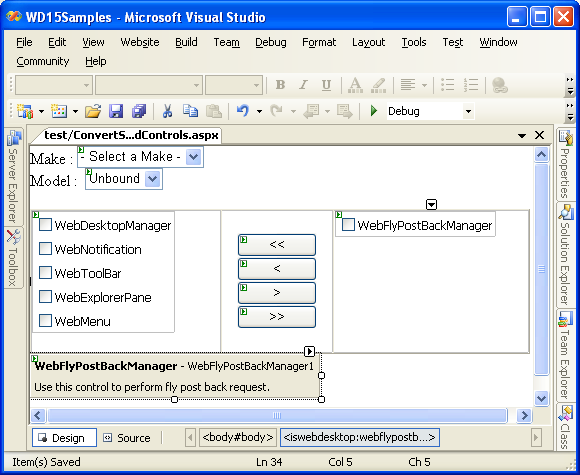
- Drag WebFlyPostBackManager from Toolbox into a WebForm page.
- In code behind, add the following code.
C# Copy Codeusing ISNet.WebUI.WebDesktop; public partial class ConvertStandardControls : System.Web.UI.Page { WebFlyPostBackListener listener = null; protected void Page_Load(object sender, EventArgs e) { body.Style.Add("overflow", "hidden"); listener = new WebFlyPostBackListener(this); } }
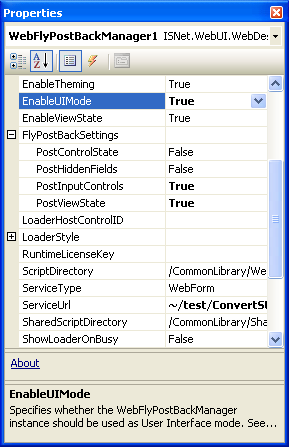
- Set the following properties of WebFlyPostBackManager.
Properties Values ServiceType WebForm ServiceUrl The URL path of the page (in this case, the path is ~/test/ConvertStandardControls.aspx) EnableUIMode True PostInputControls True PostViewState True
- Add the following code in MoveItem method so that removed items in CheckBoxList are considered as Dirty in view state.
C# Copy CodeWebFlyPostBackManager1.ClientAction.MarkDirty(from);
- Run the page. Selecting a value from ddlMake will populate data in ddlModel without causing full page postback.
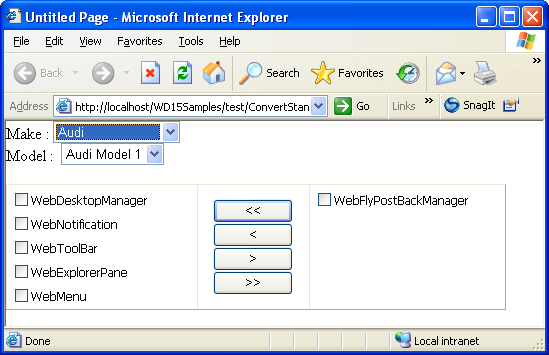
Clicking the button to remove items between CheckBoxLists will not cause full page postback.