


Objectives
IFrame or Template Content can be used to give some flexibility of WebNavPane contents.
Following are the steps to utilize IFrame and/or Template Content Mode :
- Create a WebPaneManager as shown in the picture bellow (you can see tutorial how to do it in WebPaneManager Tutorials).
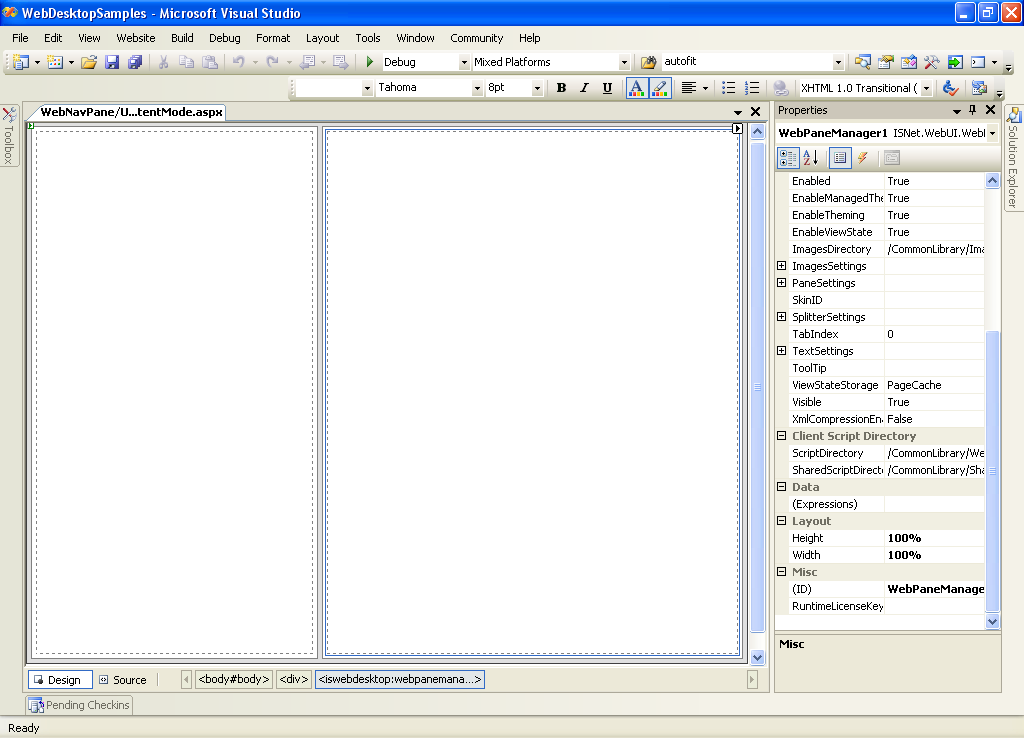
- Drag a WebNavPane inside the Left Pane.
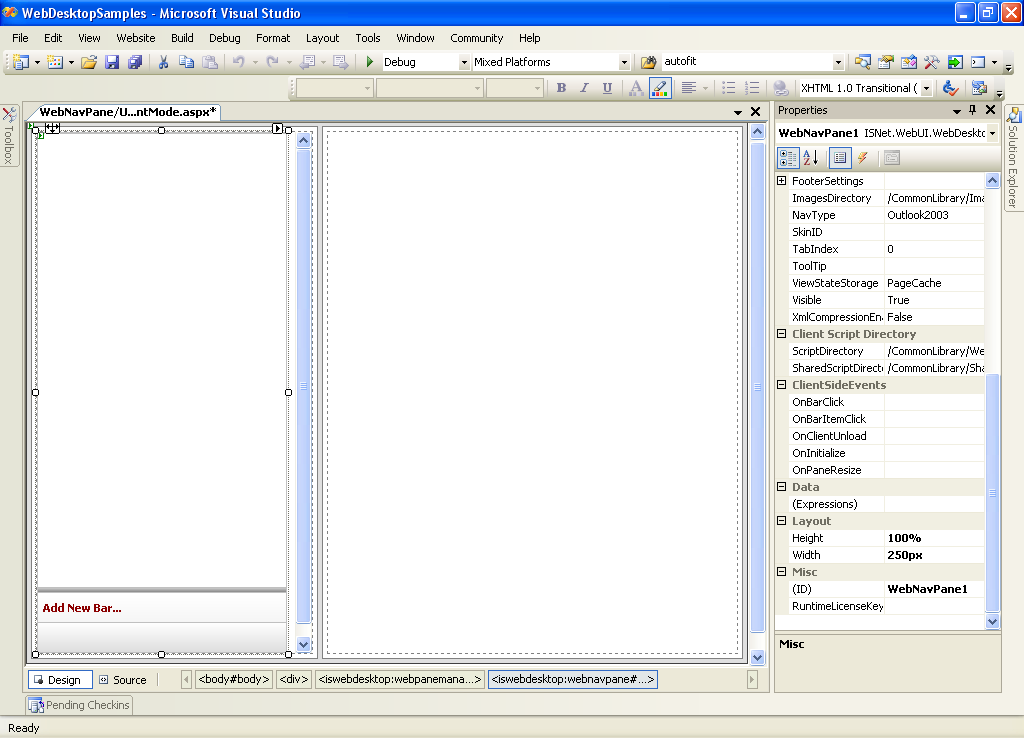
- Right click the WebNavPane - WebNavPane Designer to open WebnavPane Designer.
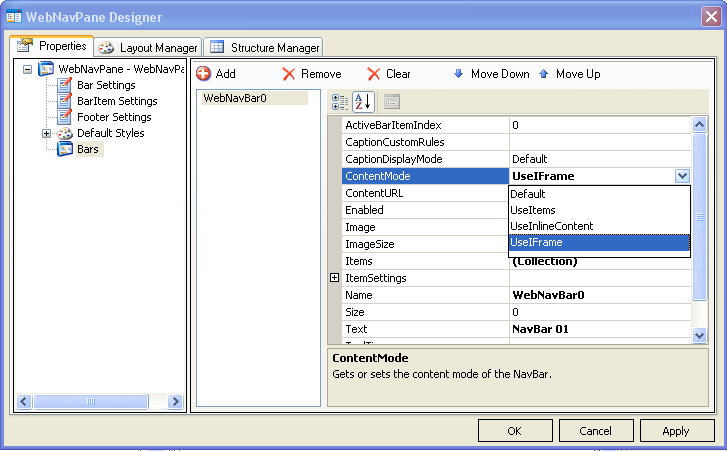
- On Bar SubCategory Add new NavBar and fill the information about the new Bar. Make sure you change the ContentMode to UseIFrame and specify the
ContentURL.
- Add another NavBar and fill the information about the new Bar. This time change the ContentMode to UseInlineContent.
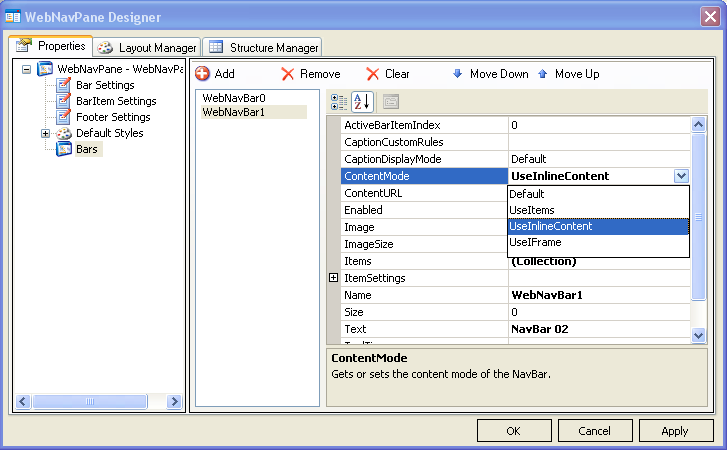
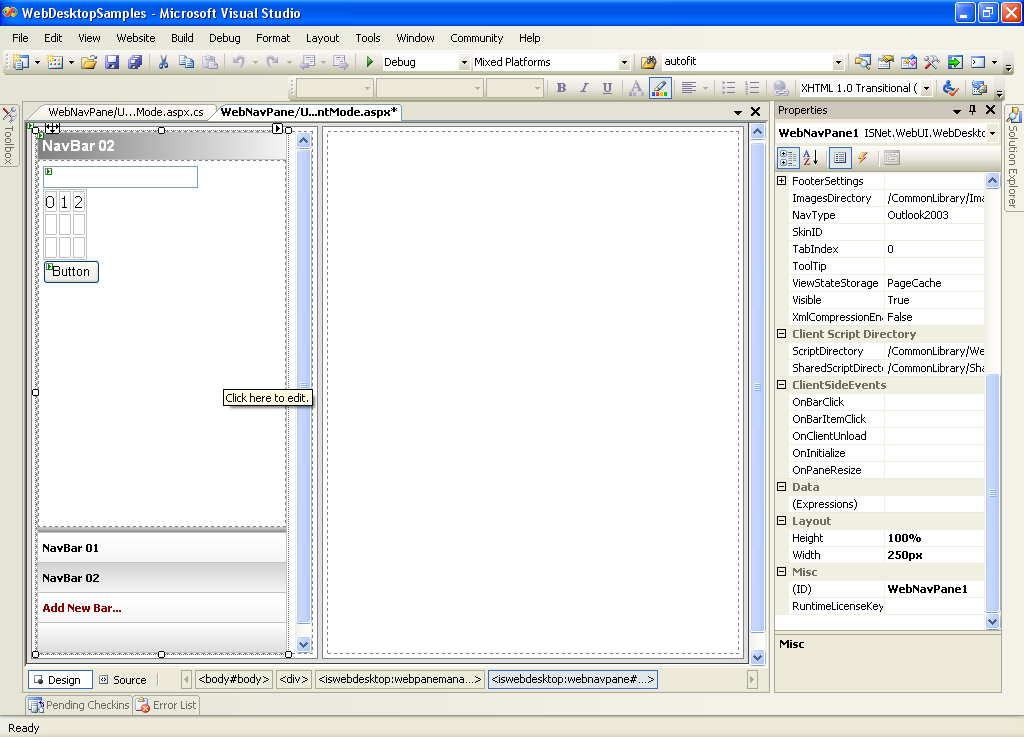
- Back to the DesignPage, click NavBar02 to show the InlineContent.
- Add some controls / text / etc inside the InlineContent.
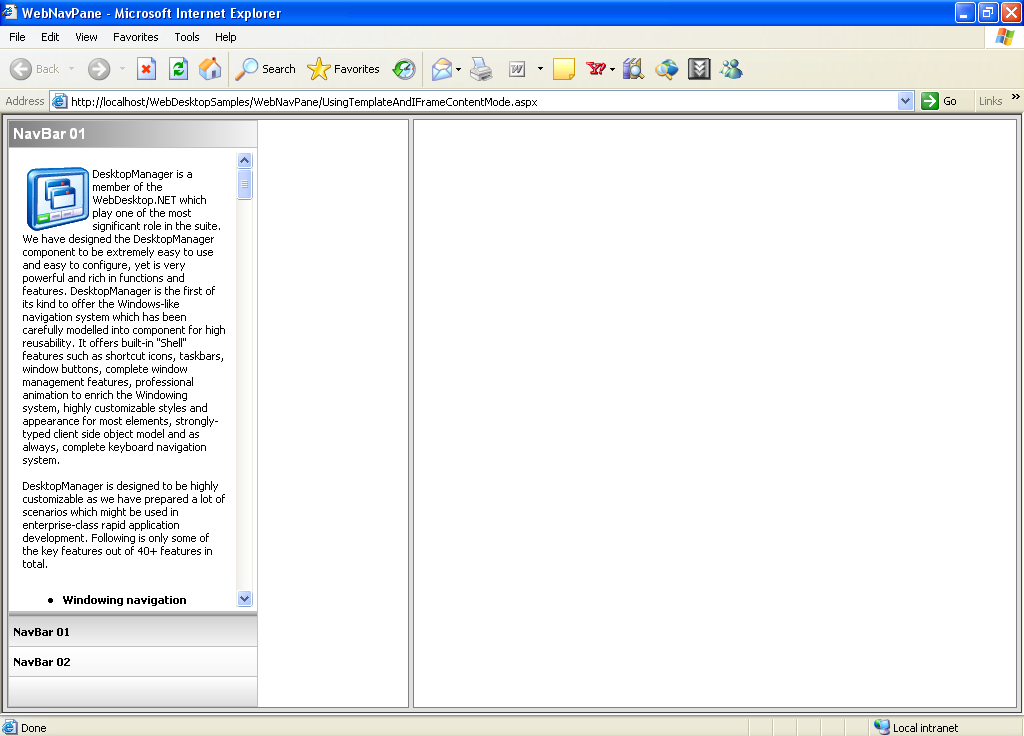
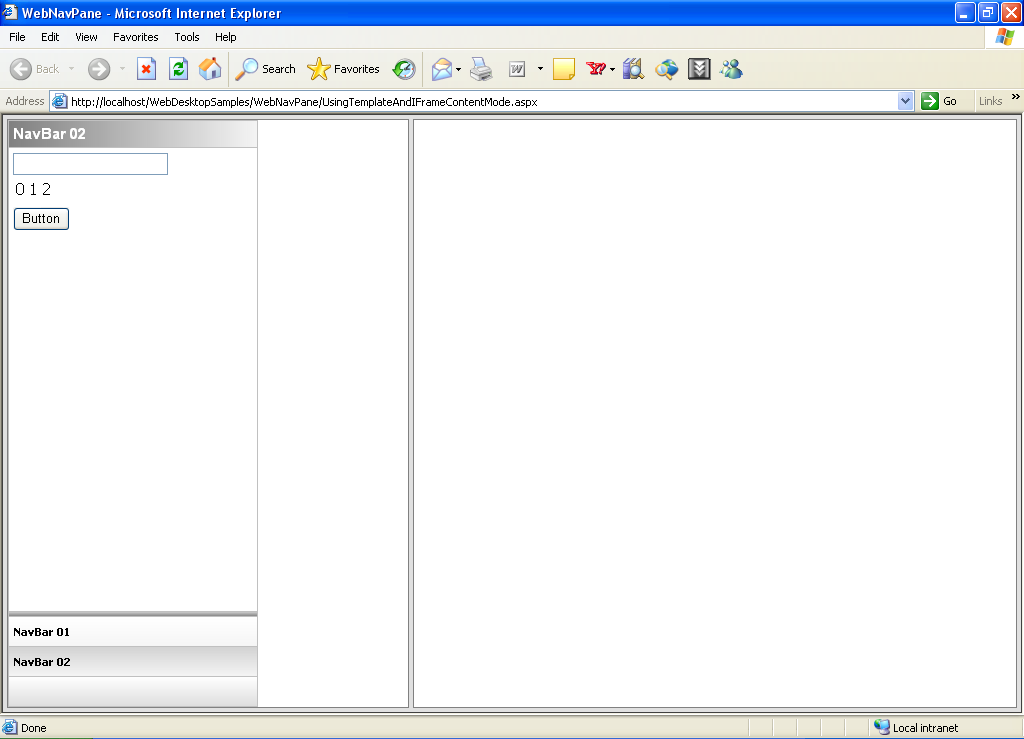
- Run the pages you should get something like this.
 See Also
Related Tutorials
Creating Simple WebPane Layout