


Objectives
Create a simple WebNavPane which demonstrates WebNavPane behavior both at design time and run time.
Follows are the steps to create a simple WebNavPane :
- Create a WebPaneManager as shown in the picture bellow (you can see tutorial how to do it in WebPaneManager Tutorials)
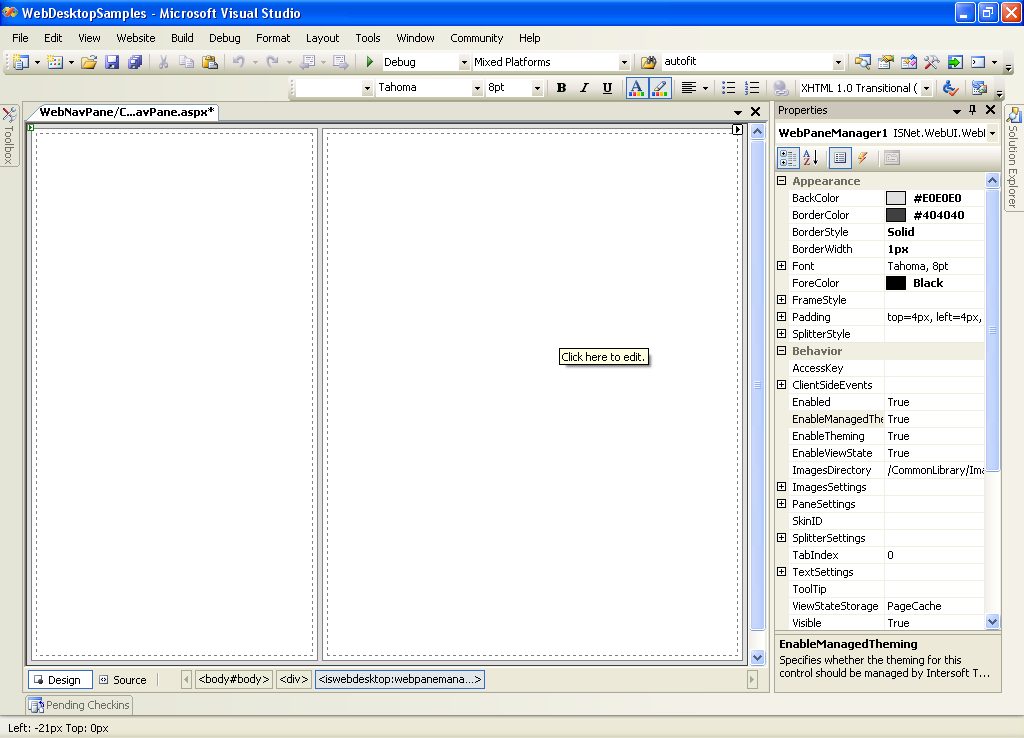
- Drag a WebNavPane inside the Left Pane.
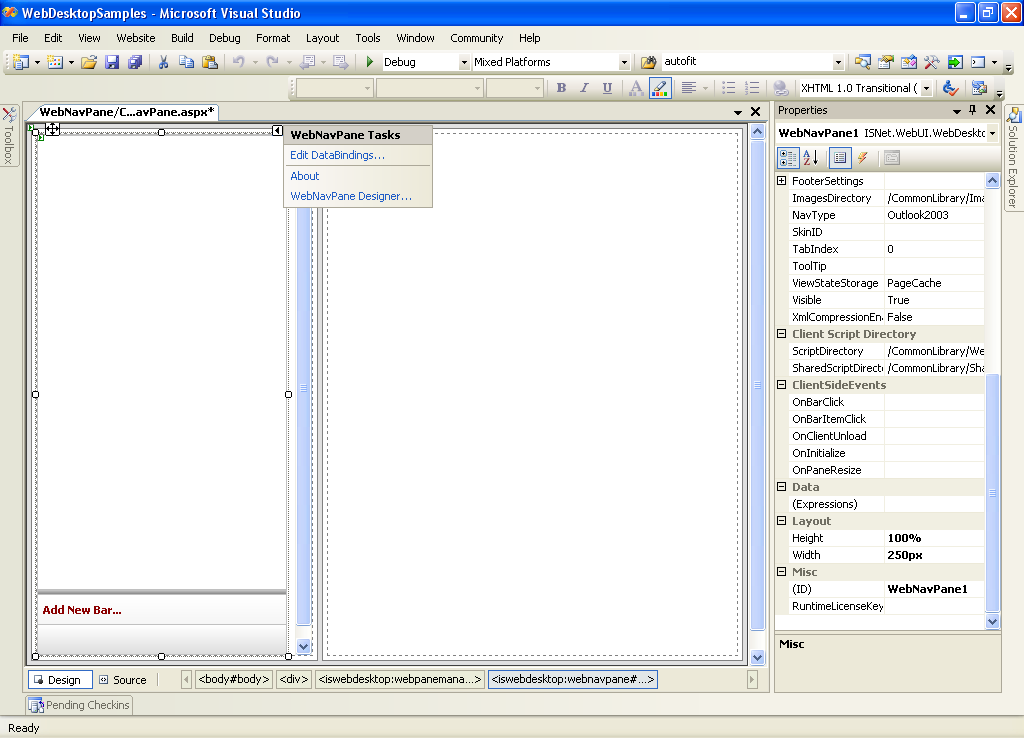
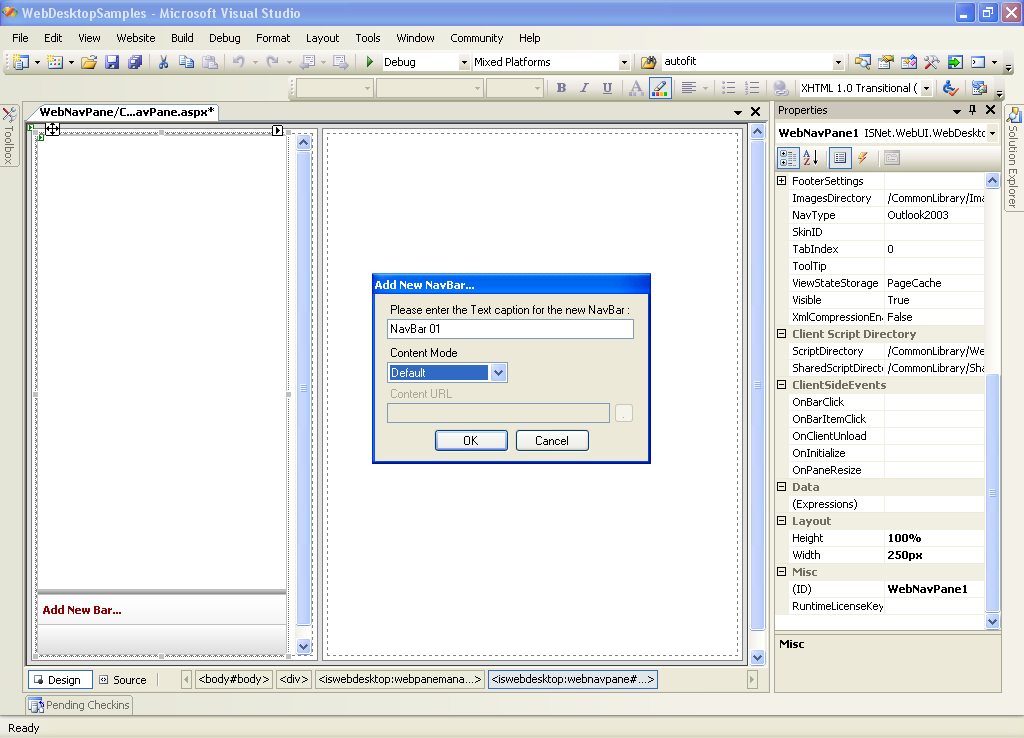
- Click the Add New Bar at the bottom of WebNavPane, and fill the information about the new Bar.
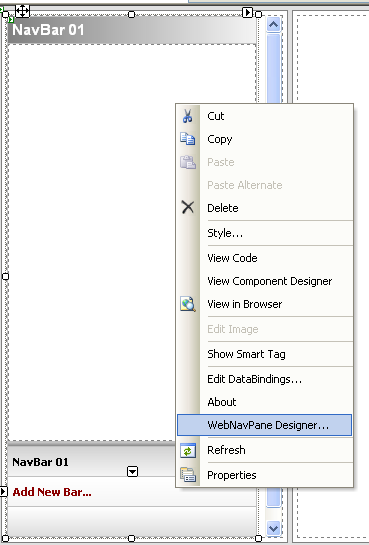
- Adding a new Bar can also use WebNavPane Designer. Right click the WebNavPane - WebNavPane Designer.
- On Bar SubCategory Add new NavBar and fill the information about the new Bar.
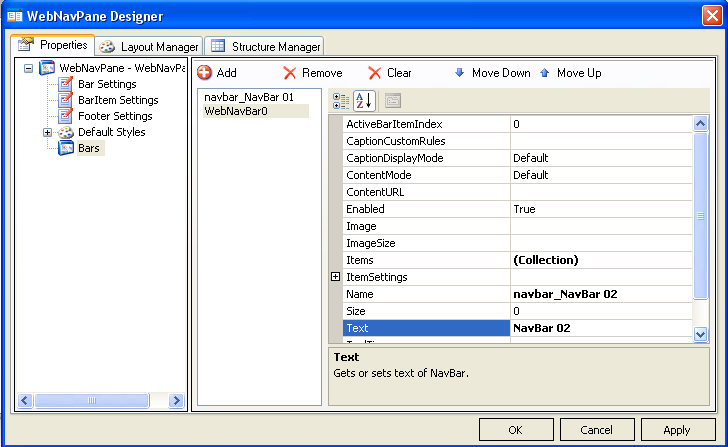
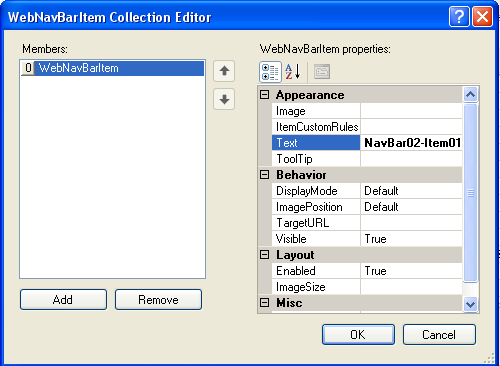
- To add the BarItem go to Items Collection to show WebNavBarItem Collection Editor.
- Add a new BarItem and fill the information about the new BarItem.
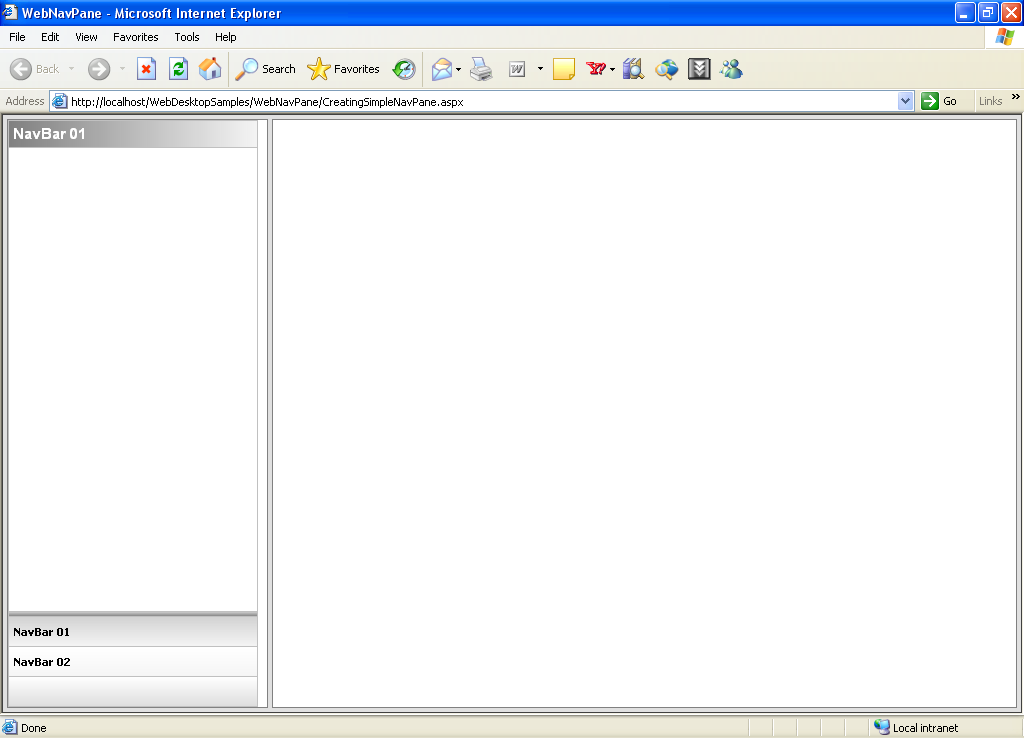
- Apply all the changes, and run the page. You will see something like following.
 See Also
Related Tutorials
Creating Simple WebPane Layout