Objectives
Designing Intersoft WebDialogBox, which introduces new breakthrough in Web User Interface. WebDialogBox has an ability to be customized using many configurations involving WebDialogBox's contents, WebDialogBox's Buttons, and WebDialogBox's Images.
In this tutorial we will introduce some properties to customize your WebDialogBox.
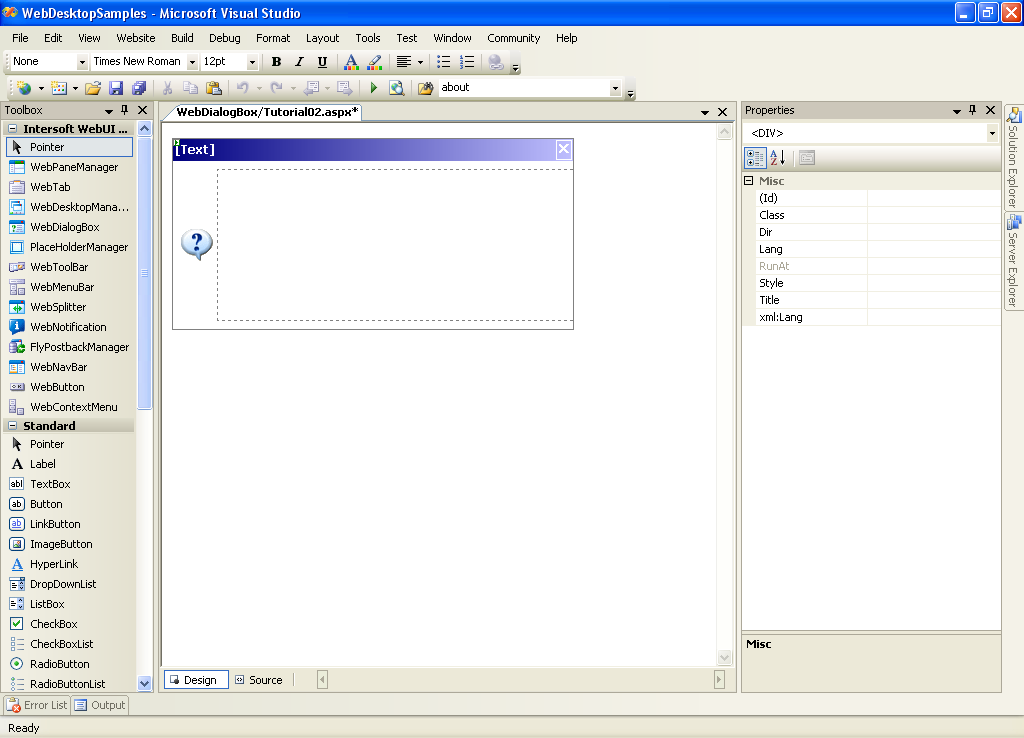
- Drag WebDialogBox to WebForm (It doesn't matter where you place it because it would be hidden during runtime).
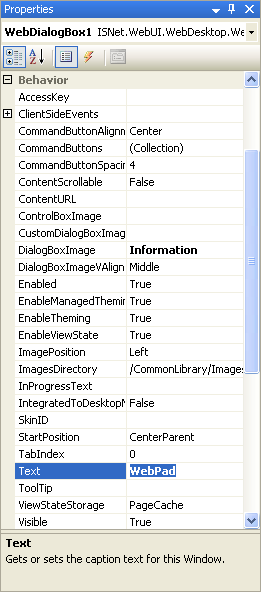
- Specify the WebDialogBox Title by setting the Text property.
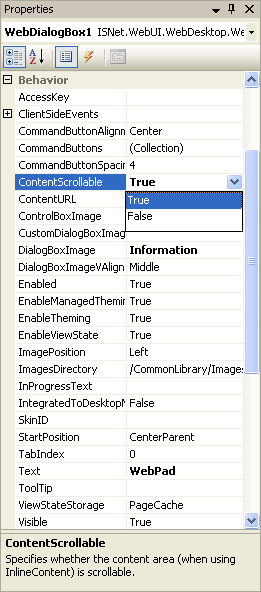
Set the ContentScrollable to true.
Insert the WebDialogBox's content by left-click the box marked with dashed border, and make any changes there.
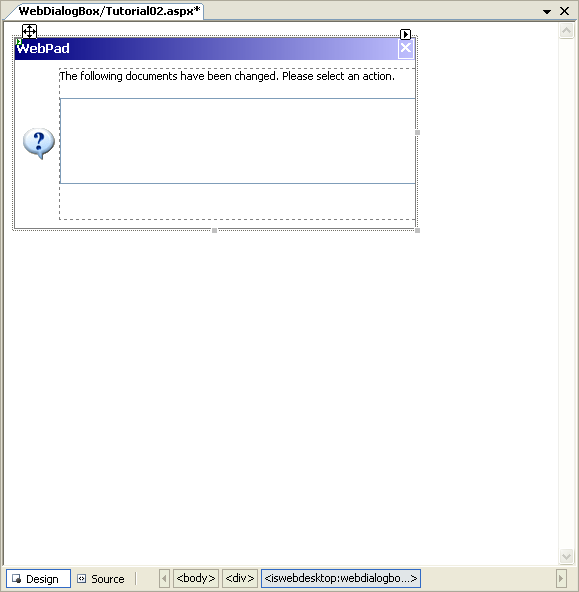
Alternatively, you can use HTML Definition to modify the content by inserting the HTML Code in "Source" Mode.
Script  Copy Code
<ISWebDesktop:WebDialogBox ID="WebDialogBox1"
runat="server" Height="150px" Width="400px"
ContentScrollable="True"
Text="WebPad">
...
<ContentTemplate>
The following documents have been changed.
Please select an action.<br/>
<br/>
<select id="lstChangedFiles" multiple="multiple"
name="lstChangedFiles" size="5"
style="width: 100%">
</select>
</ContentTemplate>
</ISWebDesktop:WebDialogBox>
You will get something like this:

WebDialogBox content can also consist of other control such as ListBox as the example below.
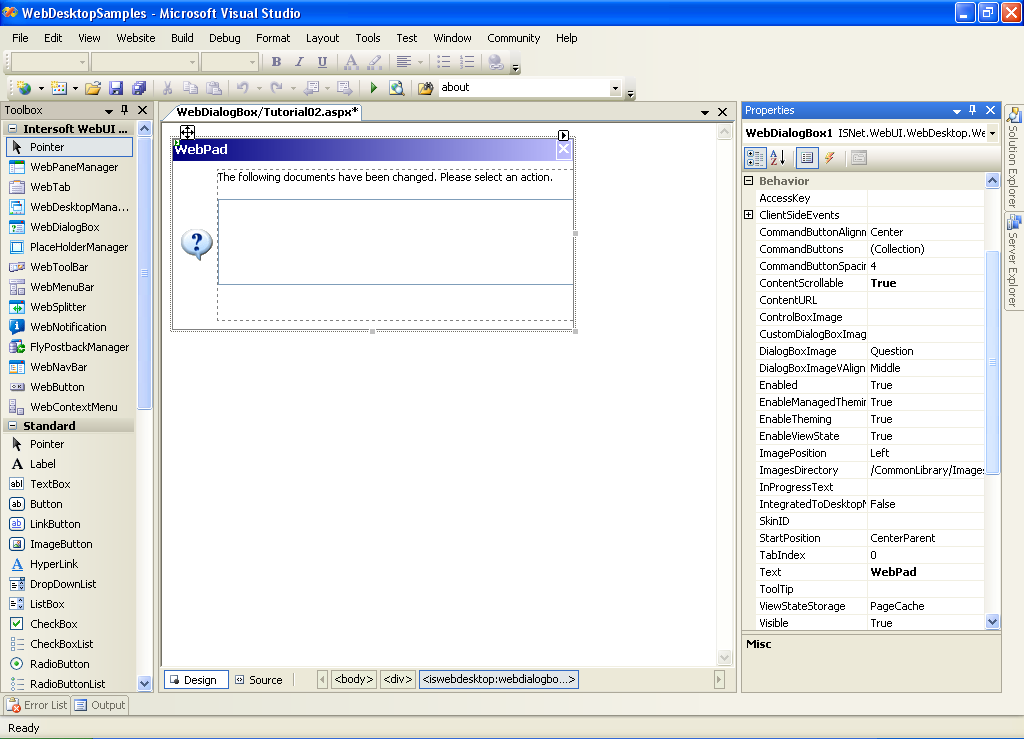
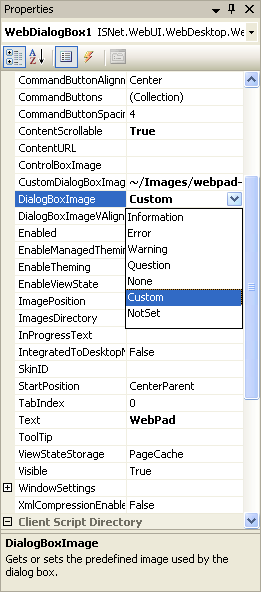
- Customize the Image on the left part of WebDiaogBox by setting the DialogBoxImage property to "Custom"
and specifying the image's URL in CustomDialogBoxImage property.
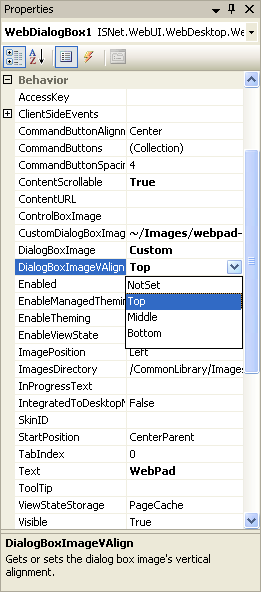
Change the value of DialogBoxVAlign property to specify the vertical alignment of the DialogBoxImage.
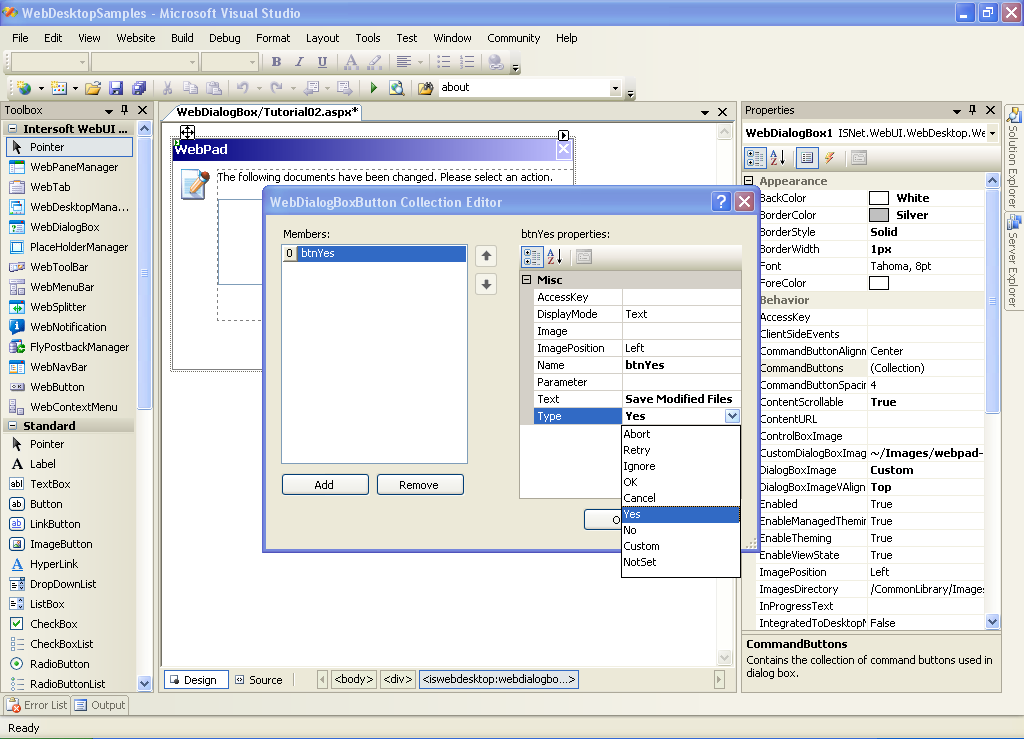
- To insert a button or collection of buttons, open "WebDialogBox Buttons Collection Editor" by clicking the CommandButtons
property.
Add a WebDialogBox's Button of Type "Yes".
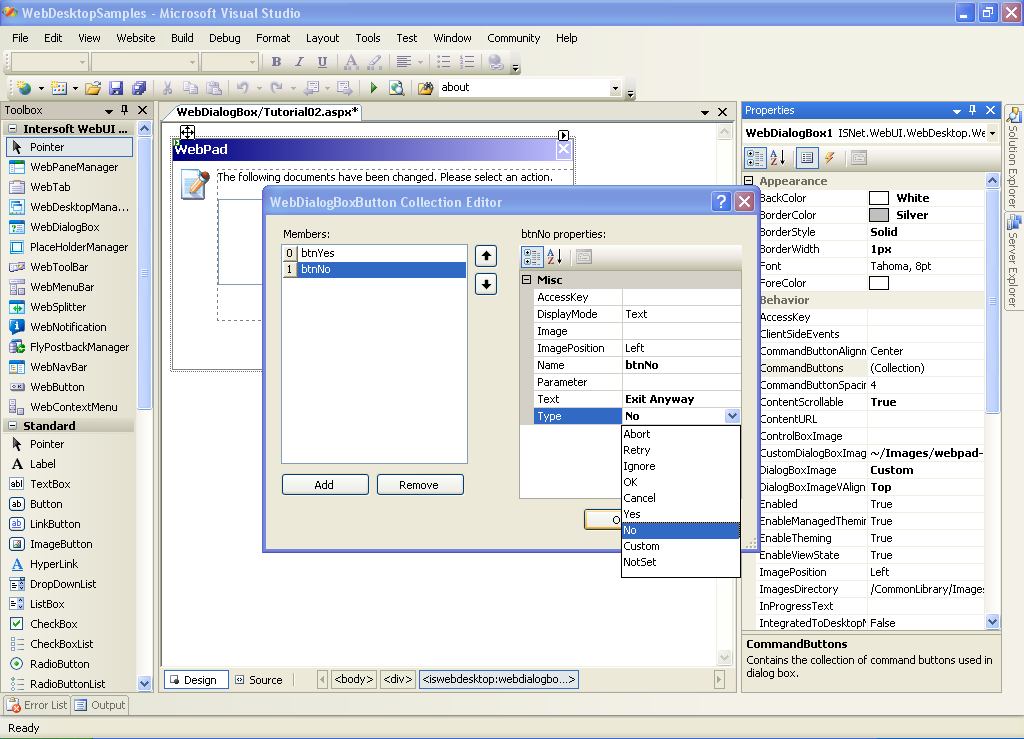
Add a WebDialogBox's Button of Type "No".
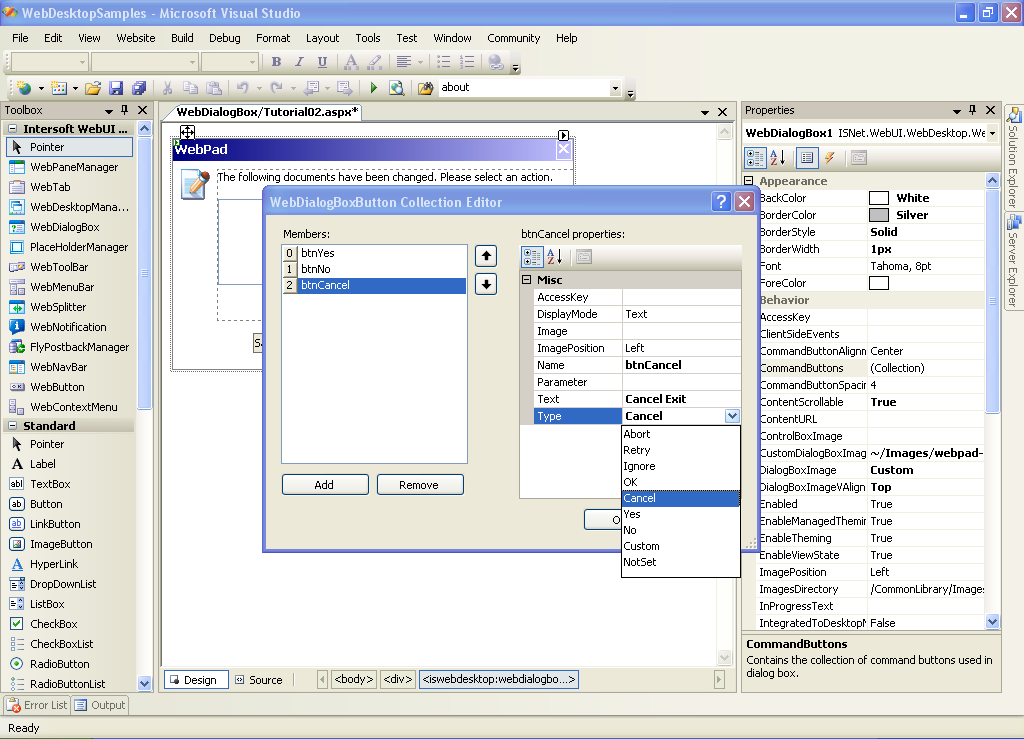
Add a WebDialogBox's Button of Type "Cancel".
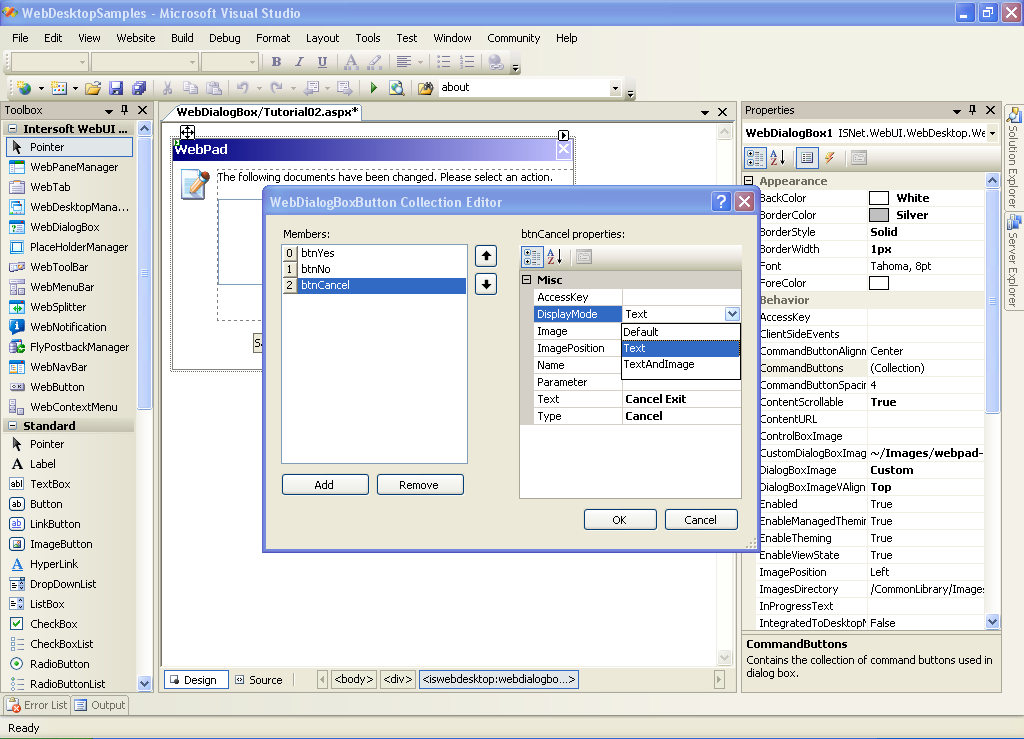
Alternatively, to change the display of the WebDialogBox's Button, we can specify it using DisplayMode Property.
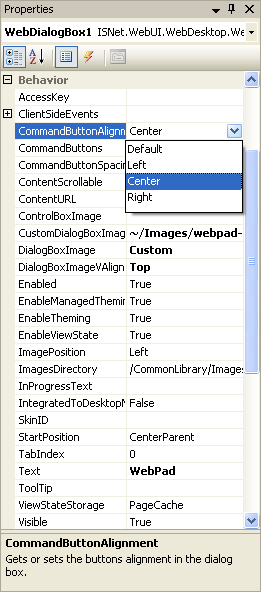
To specify WebDialogBox's Buttons' Alignment, change the value of CommandButtonAlignment property.
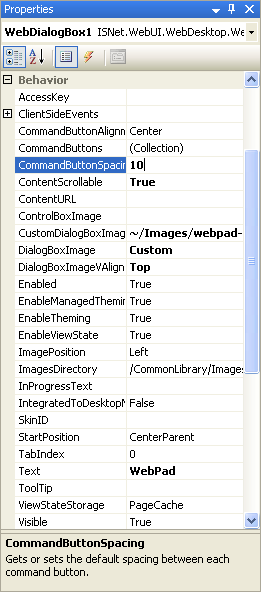
You can also adjust the spacing between the WebDialogButtons using CommandButtonSpacing Property.
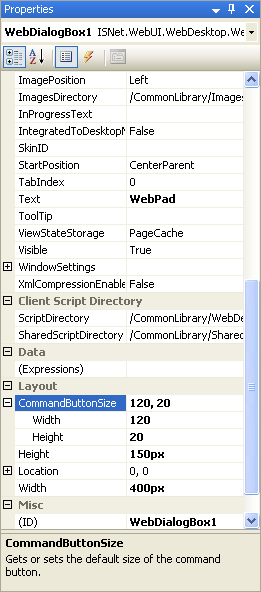
To specify the layout of the WebDialogBox's Button, you can set the following properties (Layout Properties):
|
|