


Objectives
Create a window that use IFrame that points to a page as its content. This tutorial is based on the Creating Simple Desktop which is very similar in the steps.
-
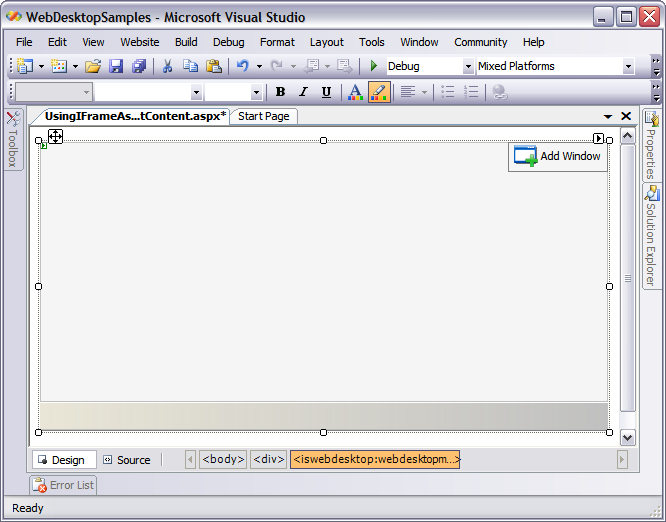
Drag WebDesktopManager component to the WebForm. Remember to remove the DOCTYPE declaration and the html tag's xmlns attribute from the form before doing this.
-
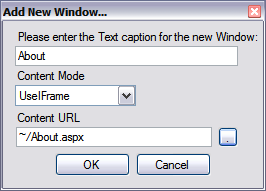
Click the Add Windows button in the upper-right corner. Then set 'About' for the new window's text. Set the Content Mode to UseIFrame and Content URL to '~/About.aspx'. Note that About.aspx is a page that resides in the same directory as this page. If you would like to use in-line content for the window content, select UseInlineContent instead.
-
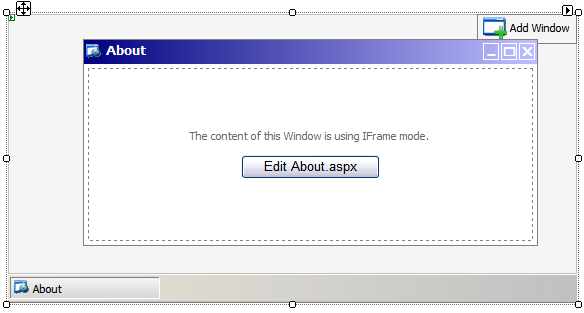
A new window is created in the WebDesktopManager. As you can see, the new window contains the 'Edit About.aspx' button. Click on the button if you have already had the About.aspx page created. Otherwise you will receive a MessageBox notifying about the missing link.
-
Next, using the WebDesktop Designer we will create an icon shortcut that points to the 'About' page.
-
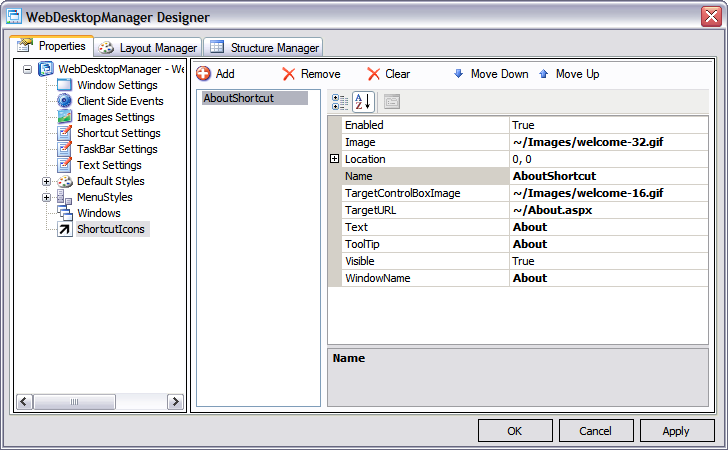
Right-click on the WebDesktopManager and select 'WebDesktopManager Designer...' from the menu. Click on the ShortcutIcons node which is the last node in the treeview and click the Add button to add a shortcut icon.
Fill in the property grid fields according to the following screenshot and click OK.

We set 'About' for the WindowName because we have added a new window with that name in previous steps. Because the window uses IFrame you also need to specify the TargetURL
- Select the Windows node and About page from the listbox. Set the ClientVisible property to false to make the windows not visible the first time the WebDesktop loads.
-
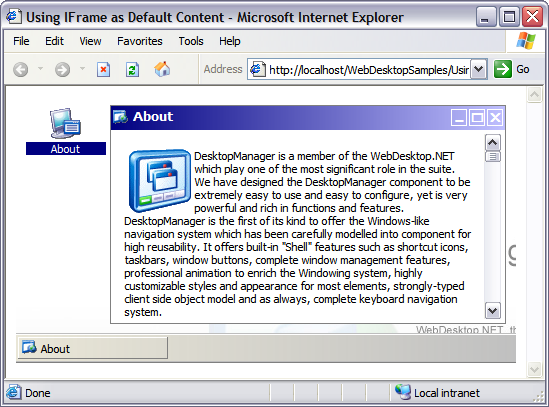
Run the page and then click the 'About' shortcut icon.
 See Also
Related Articles
{Creating Simple Desktop}