


WebDesktop gives you a freedom to customize the window arrangement to be either "TiledVertically", "TiledHorizontally" or "Cascade".
This topic will show you how to configure your WebDesktop to use vertical tile window arrangement. By default, the window arrangement property is set to "Cascade".
- Drag WebDesktopManager control into a WebForm.
- Add 3 windows into WebDesktopManager using AddWindow button on the right-upper side, and named it Window1, Window2 and Window3 respectively.
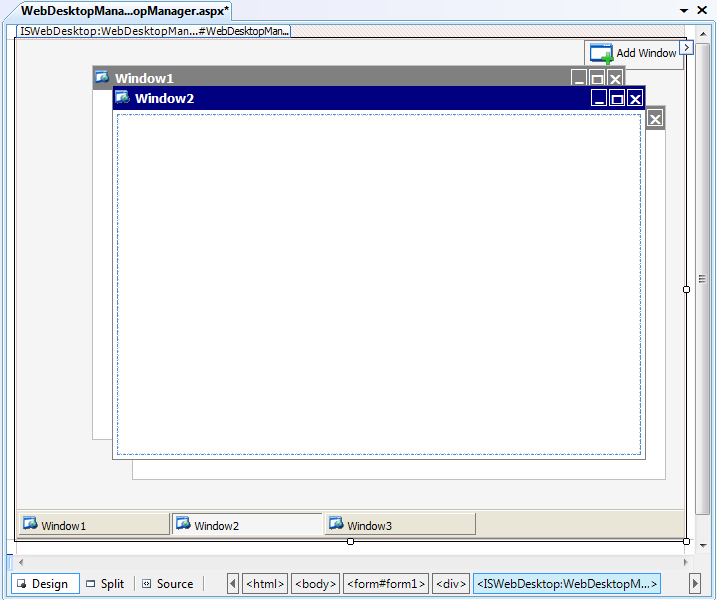
- Right click on the WebDesktopManager's instance and click Properties to display the properties window.
- Set the WindowArrangementProperty to "TiledVertically".
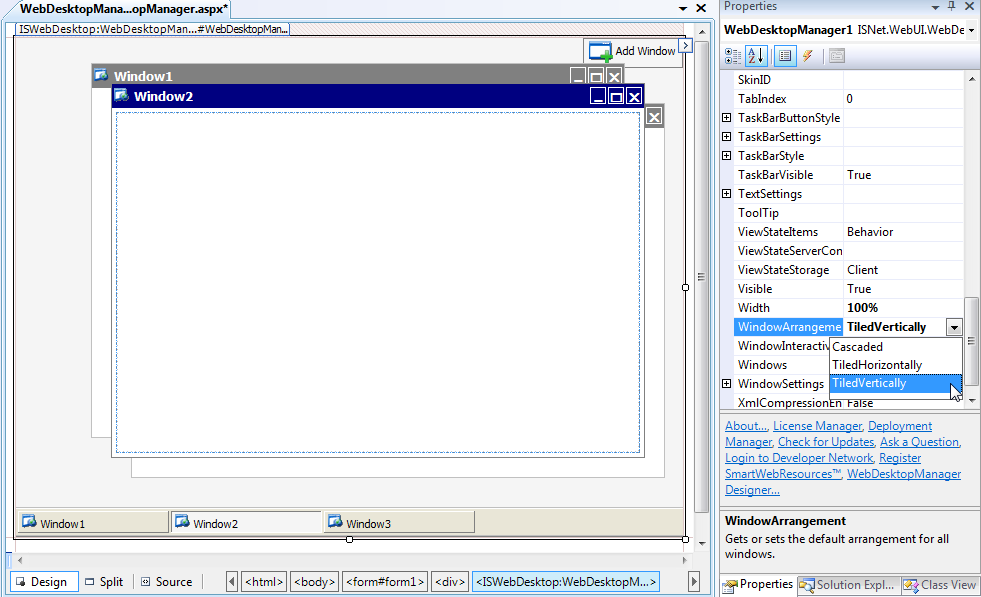
- Save all the changes that you have made, and run the WebForm.
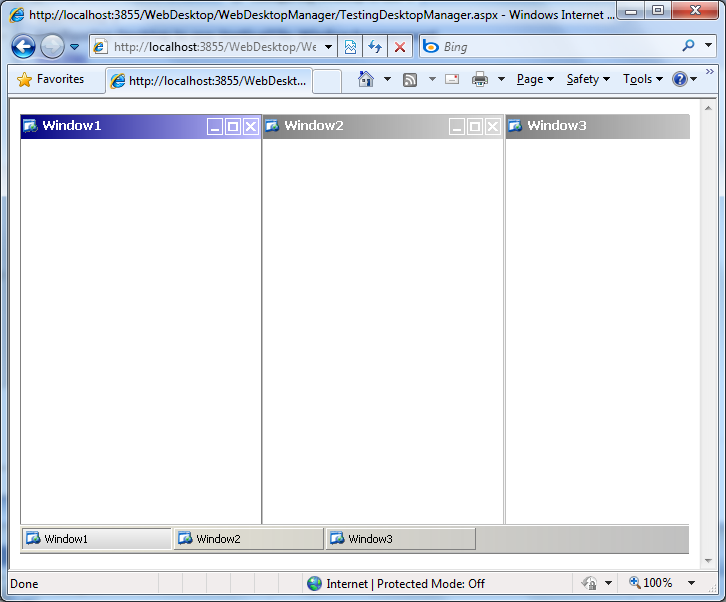
- In the browser, you will see something like the following.
 See Also
Related Articles
{Creating Simple Desktop}