


Objective
WebTab brings you a new way of developing your application. It gives an easy way to save the current structure of the WebTab to be reused on another WebTab. This tutorial will guide you how to use the feature.
- Create a new WebTab's instance, and add few more TabItem objects by clicking "Add New Tab".
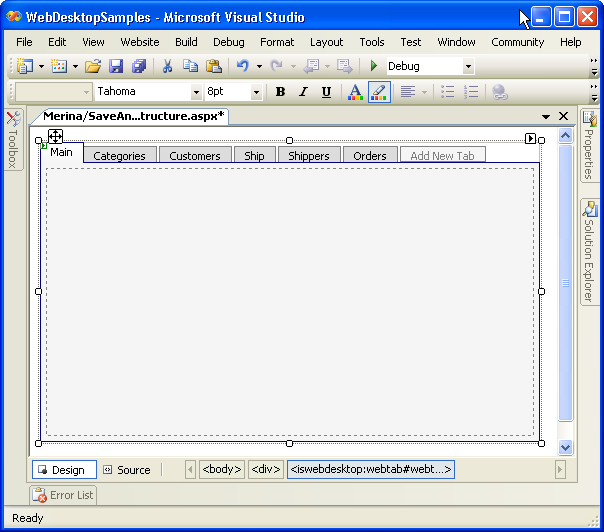
- Create another plain WebTab's instance, and 2 buttons. 1 Button is for Saving the Layout and another button is for Loading the Layout.
- Add a OnClick Server Side Event for Save Layout Button.
C#  Copy Code
protected void Button2_Click(object sender, EventArgs e)

{
   WebTab1.SaveTabsStructureToXml("Style1.xml");
}
- Add a OnClick Server Side Event for Load Layout Button.
C# Copy Code
protected void Button1_Click(object sender, EventArgs e)

{

   WebTab2.LoadTabsStructureFromXml("Style1.xml");

}
- Save all the changes, Build, and Run in the browser.
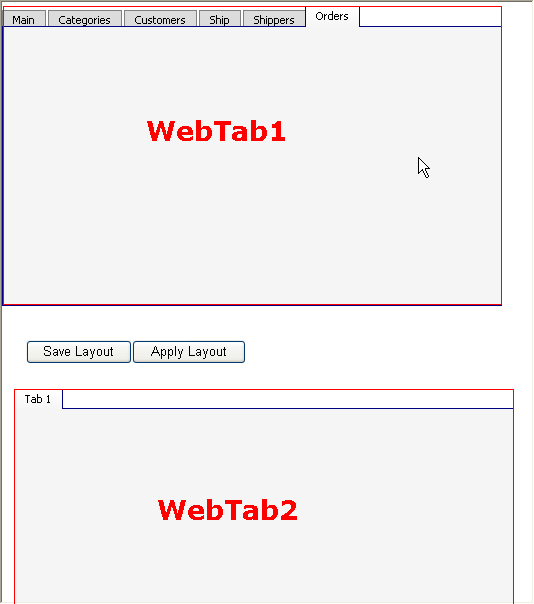
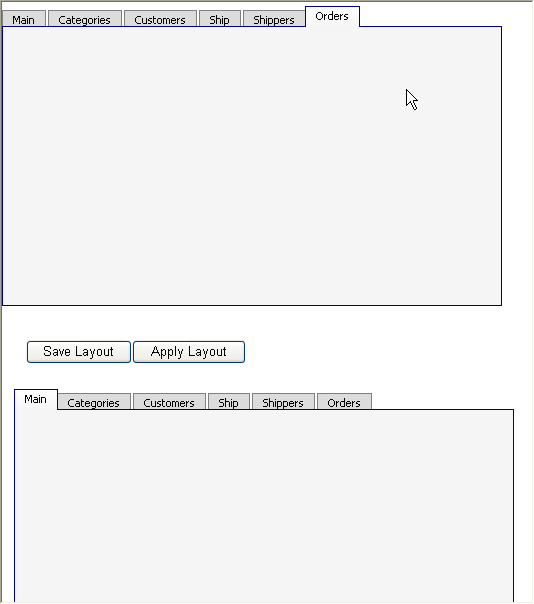
- Click on "Save Layout" and then click on "Apply Layout", what you will see is the Tab Structure in WebTab1 is applied to WebTab2.
 See Also
Related Tutorials
{Creating Simple Tab}