


Objective
WebTab gives you a convenient way of applying different style for your WebTab's instance. Other than the Style that you make by your own, WebTab Designer will provide a few different predefined style. This tutorial will guide you how to change the style using Visual Studio 2005 Style Tab.
- Create a new WebTab's instance, and add few more TabItem objects by clicking "Add New Tab".
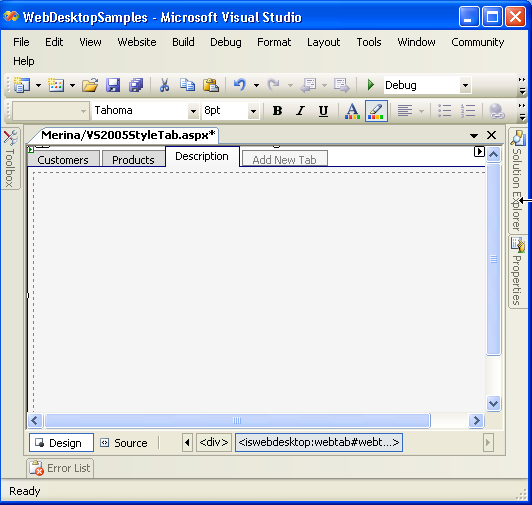
- Right Click on the WebTab's instance, click on WebTab Designer, choose "Layout Manager". Expand the "Predefined Layout" node, and choose "Visual Studio
2005".
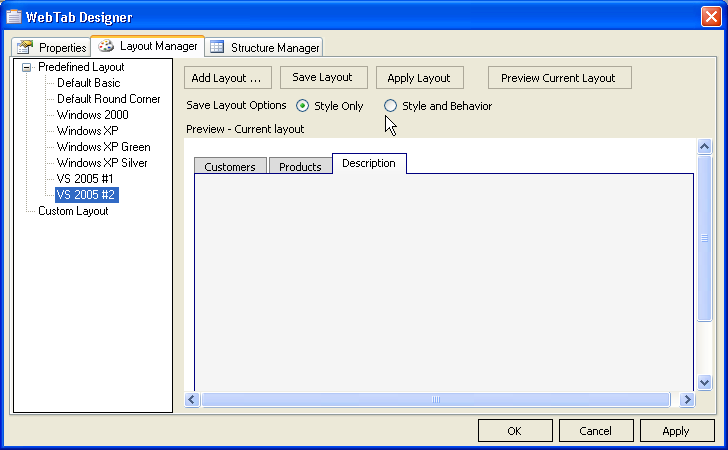
- Click on the "Apply Layout" button at the top of the Designer, and then click on the "Apply" button at the bottom
right of the Designer, if you want to see the Preview, click on "Preview Current Layout".
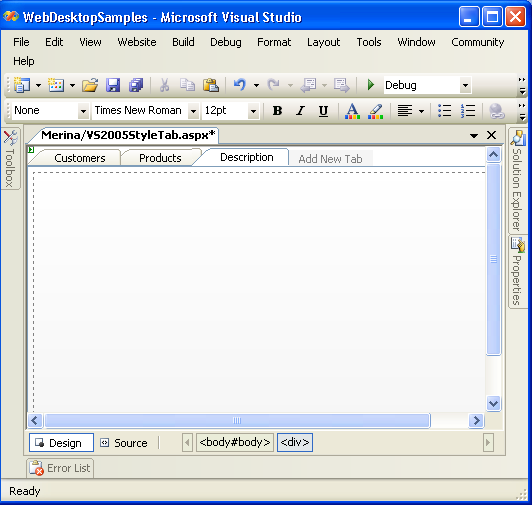
- Once you click on "OK" button, you will see the style has been applied to the WebTab.
 See Also
Related Tutorials
{Creating Simple Tab}