


WebFlyPostBackManager is tightly integrated with other Intersoft controls.
This topic will show you how to use WebFlyPostBack with Intersoft controls.
To use WebFlyPostBackManager with Intersoft Control
- Add a new page in your project and named it as UsingWebFlyPostBackManagerWithIntersoftControl.aspx.
- Drag WebFlyPostBackManager, WebCombo and WebGrid controls into the WebForm.
- Right-click on WebCombo control and choose WebCombo.NET Designer.
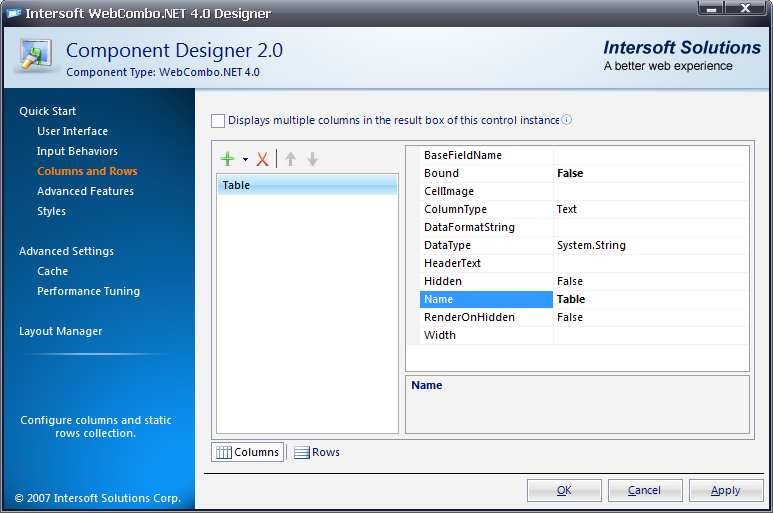
- Go to Columns and Rows section and create a new column.
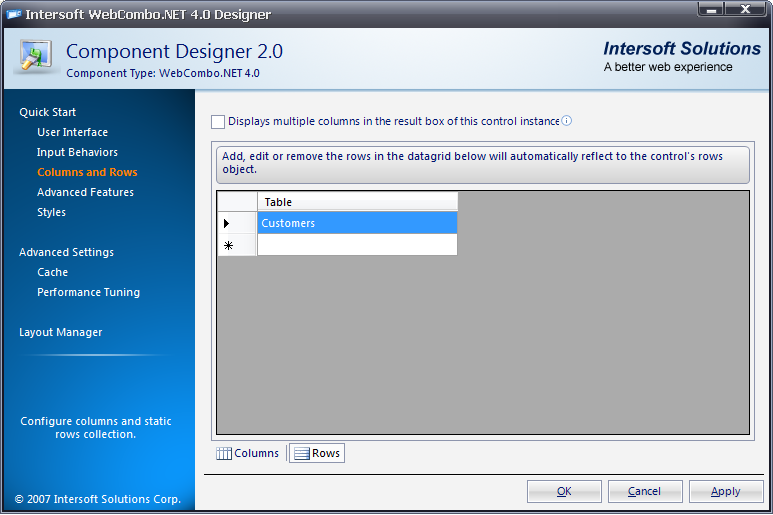
- Go to Rows tab, add Customers as a new row and click OK.
- Go to Advanced Settings and set AllowAutoPostback to True.
- Bind and customize WebGrid using code-behind like following:
C#  Copy Code
protected void WebGrid1_InitializeDataSource(object sender, ISNet.WebUI.WebGrid.DataSourceEventArgs e) { if (WebCombo1.Text == "Customers") { dsNorthwind.CustomersDataTable dt = new dsNorthwind.CustomersDataTable(); dsNorthwindTableAdapters.CustomersTableAdapter da = new dsNorthwindTableAdapters.CustomersTableAdapter(); da.Fill(dt); e.DataSource = dt; } } protected void WebGrid1_PrepareDataBinding(object sender, ISNet.WebUI.WebGrid.DataSourceEventArgs e) { if (WebCombo1.Text == "Customers") { WebGrid1.RootTable.DataKeyField = "CustomerID"; WebGrid1.RetrieveStructure(); } }
- Call RebindDataSource() using ValueChanged WebCombo server-side event.
C# Copy Codeprotected void WebCombo1_ValueChanged(object sender, ISNet.WebUI.WebCombo.ValueChangedEventArgs e) { WebGrid1.ClearCachedDataSource(); WebGrid1.RequiresUIRefresh = true; WebGrid1.RebindDataSource(); }
- Now, create a page with WebFlyPostBackManager control included in it.
- Right-click on WebFlyPostBackManager control and choose Properties.
- Set EnableUIMode to True and locate ServiceURL into UsingWebFlyPostBackManagerWithIntersoftControl.aspx.
- Expand FlyPostBackSettings and set the following properties.
Property Value PostControlState True PostHiddenFields True PostInputControls True PostViewState True
- Add ISNet.WebUI.WebDesktop as reference and configure WebFlyPostbackManager at server side.
C# Copy Codeusing ISNet.WebUI.WebDesktop; WebFlyPostBackListener listener = null; protected void Page_Load(object sender, EventArgs e) { listener = new WebFlyPostBackListener(this); }
- Run the project.