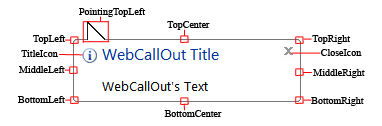
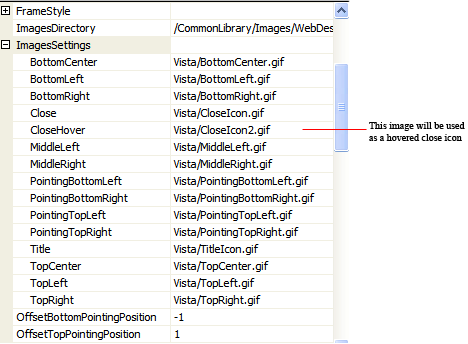
With this feature, you can build your own design for WebCallOut. The ComplexImages allows you to specify the images needed by WebCallOut to render the component. In order to create your own design for WebCallOut, 15 images are needed. You can specify the images in ImagesSettings. Some of the design probably requires the pointing position images to be placed higher or lower in the WebCallOut's form. You can specify the suitable position for the pointing position images by set OffsetBottomPointingPosition and OffsetTopPointingPosition.
 |
By default, ComplexImages is the default LayoutMode. |
Design concept illustration: