


The ability to use template inside Menu Item has been added in this new release of WebMenu. With templating, you can put any html or server-side controls to the menu item's cell content. This allows you to create efficient and richer navigation concept for your Web application.
 |
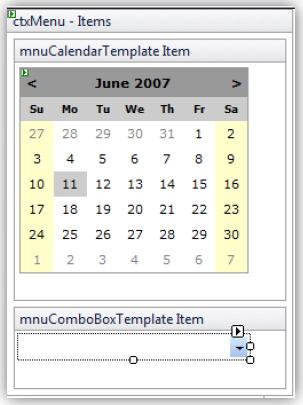
To use Template, set the Type of the menu item to Template. Next, in the Visual Studio 2005 designer, right click on the control instance and choose Edit Templates > Items. Finally you will see the region's surface where you can perform editing. See the following screenshot for more details. |
 See Also
Related Sections
Complex Images for Menu Item Style
Cosmetic Label Menu Item
New Themes
{Quadratic Sliding Animation}
Other Resources
{What's New in 2.5}