Objectives
This tutorial demonstrates how to pass custom properties to be used in WebNotification.
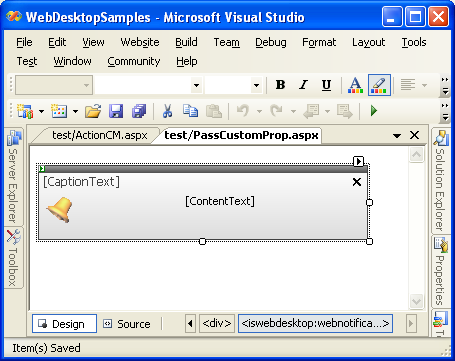
- Drag WebNotification control from ToolBox into the WebForm.
- Create a WebService page in the same directory and name it "NotificationService.asmx". It will automatically create "NotificationService.cs" in the
App_code folder. WebNotification control will look for GetNotifications method in the WebService. Use the following code for GetNotifications
method:
C#  Copy Code
[WebMethod]
public WebNotificationEventCollection GetNotifications(WebNotificationEventArgs e)
{
WebNotificationEventCollection collection = new WebNotificationEventCollection();
WebNotificationEvent evnt = new WebNotificationEvent();evnt.CaptionText = "Samples";
evnt.ContentText = "Hello world from WebNotification!\nCurrent time is:" + DateTime.Now.ToLongTimeString();
evnt.Properties["CustomerId"] = "ALFKI";collection.Notifications = new WebNotificationEvent[] { evnt };
return collection;
}
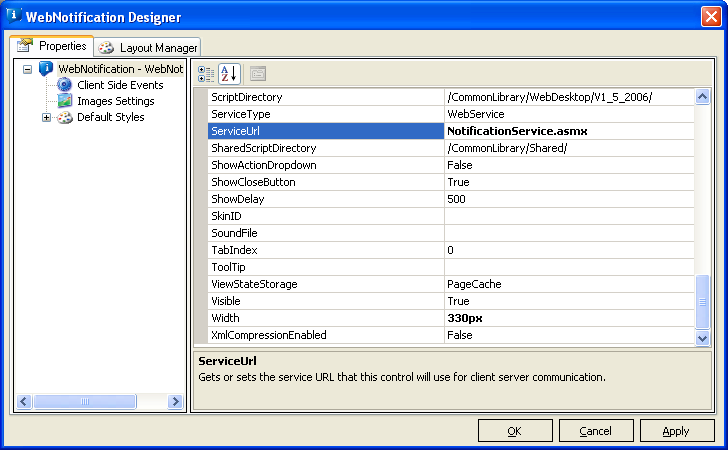
- Open WebNotification Designer and set the following properties of WebNotification control:
Product Sample Location ServiceType WebService ServiceUrl NotificationService.asmx
- Open WebNotification Designer, add an event handler for OnNotify client side event.
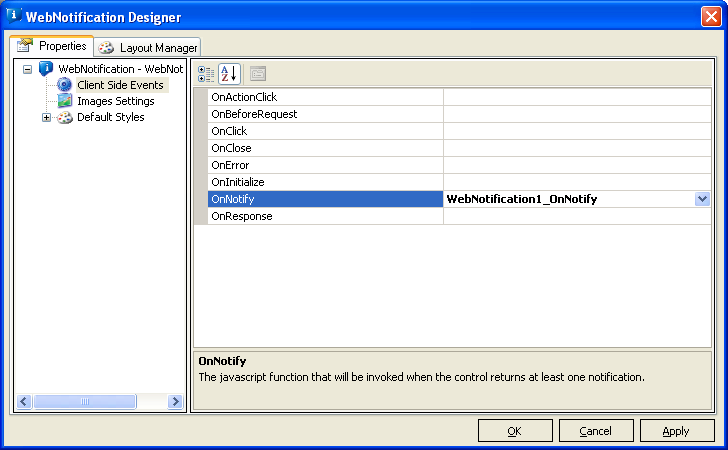
- Add the following code for OnNotify client side event:
Script Copy Code<script language="javascript" type="text/javascript">
function WebNotification1_OnNotify(controlId, notifyObject)
{
var WebNotification1 = ISGetObject(controlId);
alert(notifyObject.Properties[0].Key + " = " + notifyObject.Properties[0].Value);
return true;
}
</script>
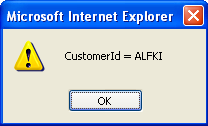
- Run the page. The custom properties' key and value will be displayed in an alert box on OnNotify client side event.