


Introduction
WebTab that is supported by Intersoft's new technologies, ClickAndEdit™and ClickAndSelect™, has brought a new unique design time experience with more convenient and efficient WYSIWYG editing mode.
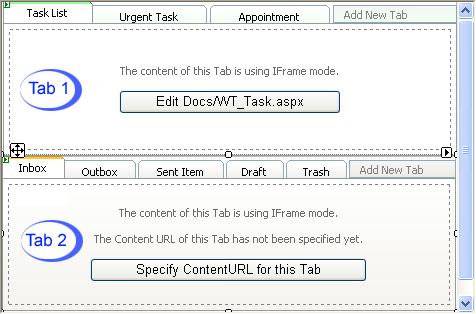
Picture 1:
Both of these WebTabs' ContentMode above are configured to use IFrame. When you have already specified the ContentURL, a Button "Edit [Page" will appear in the center of the TabItem, as you can see through Tab1 example in above picture. Using the ClickAndSelect™ technology, this button will lead you to interact directly with the object related with this IFrame. The second tab (Tab2) demonstrates when there is no ContentURL specified yet. When there is no ContentURL specified yet, the Button "Specify ContentURL for this Tab" will appear. Once you click on the button, an URL Picker DialogBox will appear asking for the URL that will be linked to this IFrame, and when you pick the URL, it will apply it straight away to the HTML.
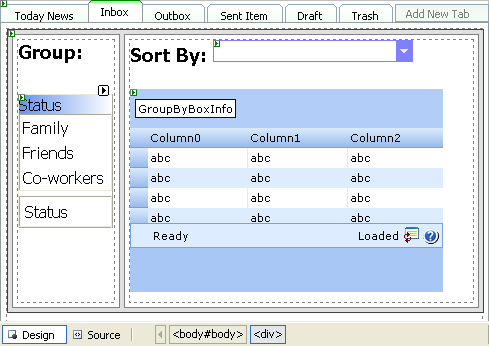
Picture 2:
In picture2, The tab's ContentMode is configured to use InlineContent. When using this mode, Intersoft has used ClickAndEdit technology to make possible for you to edit the content of the Tab directly, just by clicking on the content inside the "dashed-border box" region. You can put any controls inside it, including server side controls, html controls, user controls.