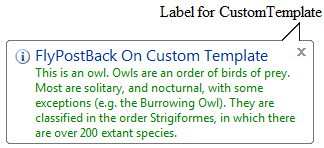
WebCallOut allows you to easily set text and title with template ContentMode from server side.
In this topic, you will learn how to implement the scenario above.
To use text and title with template ContentMode
- Drag WebCallOut and two ASP.NET Label controls from toolbox to the WebForm.
- Right click on WebCallOut control and choose Properties.
- Set ContentMode to UseTemplate.
- Place one of ASP.NET Label controls to the WebCallOut and named it as Label2.
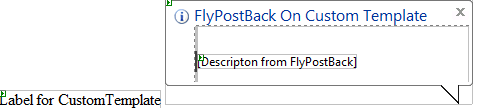
- Switch to Events and double click on Show server side event. It will automatically create an event called WebCallOut1_Show in server side.
- Put the following code in the event:
C#  Copy Code
protected
void Webcallout1_Show(object sender, ISNet.WebUI.WebDesktop.WebCallOutEventDataArgs e)
{
WebCallOut webCallOut = sender as WebCallOut;
Label label = webCallOut.FindControl("Label2") as Label;
label.ForeColor = System.Drawing.
Color.Green;
label.Text =
"This is an owl. Owls are an order of birds of prey. Most are solitary, and nocturnal,
with some exceptions (e.g. the Burrowing Owl). They are classified in the order Strigiformes, in which there are over 200 extant species.";
}
- Save and run the project. When you hover the mouse to the label, it will display the callout like following: