


WebCallOut provides a feature called preferred position, means that you can position the WebCallOut based on the PreferredVerticalPosition and PreferredHorizontalPosition.
This topics shows how to customize preferred position in WebCallOut.
To use preferred position in WebCallOut
- Right click on WebCallOut control and choose Properties.
- Set TargetControlId to the control you want to use.
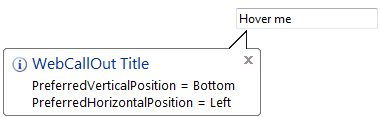
- Set PreferredVerticalPosition to Bottom and PreferredHorizontalPosition to Left. The WebCallOut will look like following:
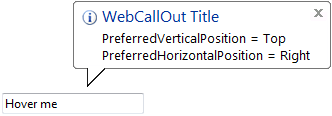
- Set PreferredVerticalPosition to Top and PreferredHorizontalPosition to Right.
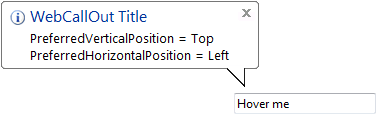
- Set PreferredVerticalPosition to Top and PreferredHorizontalPosition to Left.
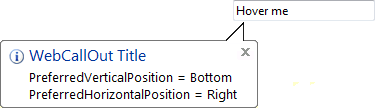
- Set PreferredVerticalPosition to Bottom and PreferredHorizontalPosition to Right.
 See Also
Concepts
{Preferred Position}