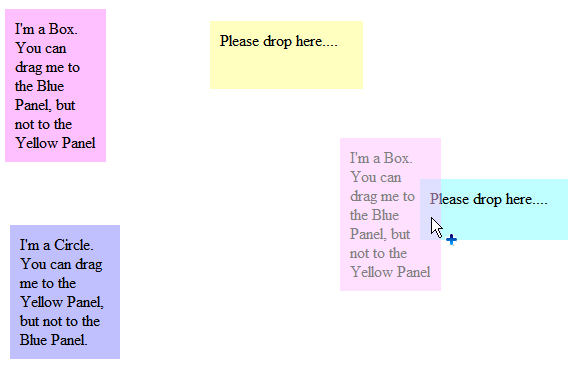
This walkthrough shows you how to use GetDataPresent method to query object type in OnDragOver event.
During this walkthrough, you will learn how to do the following:
- Set ASP.NET Panel for dragable panel and dropable panel.
- Use WebDragDropExtender to allow the dragable panel dragged to dropable panel.
 Prerequisites
In order to complete this walkthrough, you will need the following:
- Visual Studio 2005 Application.
Step-By-Step Instructions
To use GetDataPresent method to query to object type in OnDragOver event.
- Launch Visual Studio.NET 2005.
- Click on File menu, then select New and click Web Site.
- Select ASP.NET Web Site in the Template box and set Location to HTTP.
- Named the Web Site and click OK.
- Right-click on Project's name and select Add New Item.
- Select Intersoft AppForm in the My Templates box and named it as Walkthrough.aspx.
- Drag 4 ASP.Net Panel to WebForm.
- Drag WebDragDropExtender instance from ToolBar to WebForm.
- Set the BackColor of each ASP.NET Panel.
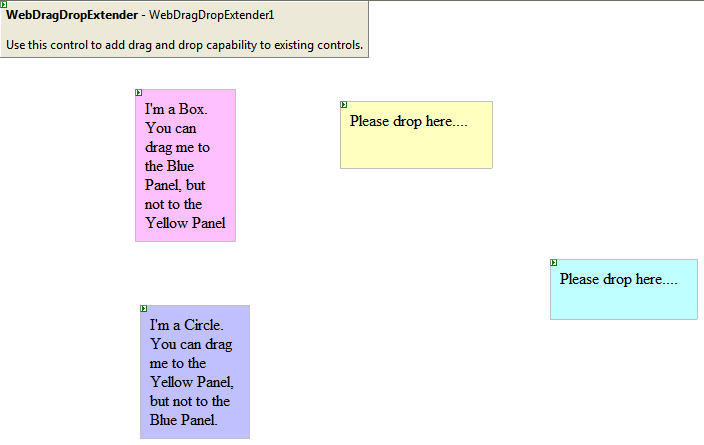
- Click on WebDragDropExtender instance and press F4.
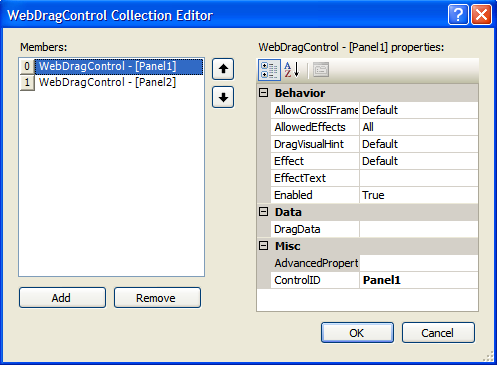
- On DragControls property, click the (collection) to open WebDragControl Collection Editor. Set Panel1 and Panel2 as DragControl.
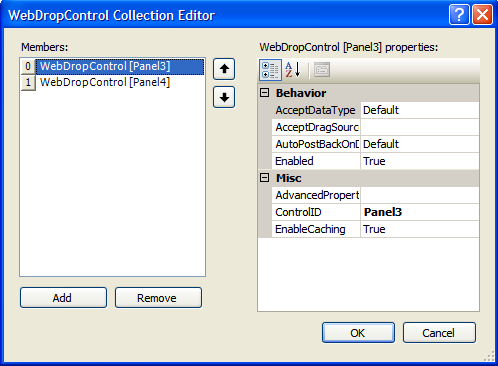
- On DropControls property, click the (collection) to open WebDropControl Collection Editor. Set Panel3 and Panel4 as DropControl.
- Create Box and Circle object.
JavaScript  Copy Code
function Box()
{
this._Type = "Box";
ISObject.call(this);
}
function Circle()
{
this._Type = "Circle";
ISObject.call(this);
}
- Assign each Panel with the object.
JavaScript Copy Codefunction DragStart(controlId, dragObject)
{
var dragControl = dragObject.Owner;
/* assign DragData based on the dragged control */
if (dragControl.ControlID == "Panel1")
{
dragControl.DragData = new Box();
}
else if (dragControl.ControlID == "Panel2")
{
dragControl.DragData = new Circle();
}
}
- Specify the effect for each drop able Panel using GetDataPresent method to validate the type of the object.
JavaScript Copy Codefunction DragOver(controlId, e, dropObject)
{
if (dropObject.Owner.ControlID == "Panel4")
{
if (e.GetDataPresent("object", "Box"))
e.Effect = ISDragDropEffects.Copy;
else
e.Effect = ISDragDropEffects.NotAllowed;
}
else
{
if (e.GetDataPresent("object", "Circle"))
e.Effect = ISDragDropEffects.Move;
else
e.Effect = ISDragDropEffects.NotAllowed;
}
}
- Specify an alert for each DragDrop action.
JavaScript Copy Codefunction DragDrop(controlId, e, dropObject)
{
// this function is invoked when a valid dragable element is dropped (mouse up).
if ((e.Effect & ISDragDropEffects.NotAllowed) == ISDragDropEffects.NotAllowed) // notice that we used bitwise operator to check the flag here
{
alert("You tried to drop on me, but sorry - not allowed");
}
else
{
alert("Congratulations. You have successfully drop '" + e.DragObject.Owner.ControlID + "' element to '" + dropObject.Owner.ControlID + "'!");
} }
- Run the project. You will notice the cursor effect when trying to drag the drag able panel and drop it to the drop able panel.