


The following illustration describes the logical object model of WebDragDropExtender and the relation with the Webform.
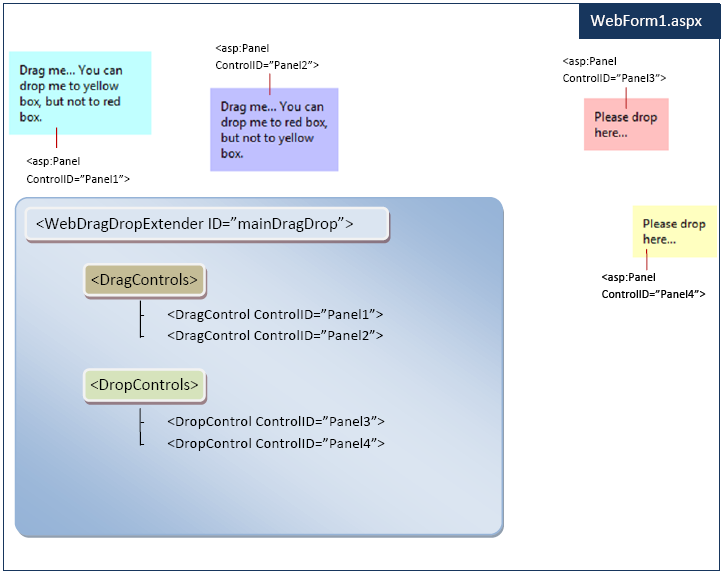
The above illustration describes four ASP.NET panels (<asp:panel>). Two of them are made as dragable objects, and the other two are made as dropable objects.
 |
With WebDragDropExtender, you can easily add drag behavior to an existing server control by adding DragControl to DragControls collection as shown in above illustration. Likewise, you can make certain containers to accept dragable objects by adding them to DropControls collection. |
Using the above simple object model which can be programmed declaratively, you can try to view in browser and discover the drag-drop ability by dragging the specified controls and dropping them into the specified containers.