


Introduction
TrueShape is an innovative rendering technology which enables round corner shape to be rendered without the needs to use images. It is called TrueShape, because it does not only capable to render round corner between four edges, it also has the ability to blend perfectly into transparent background and filled gradient. With TrueShape, developers can gain more productivity than ever before since they don't have to use photo editing software to create complex images. Instead, they can now configure everything with just few mouse clicks right inside the Visual Studio IDE. With all these capabilities, you can create any kind of themes, for example, the blue Theme of Office Toolbar style or the silver theme, or any colors blending you liked. TrueShape technology is the beginning of new web applications model.
TrueShape features tight integration with other rendering architectures for rich visual styles:
- Transparent edge
- Gradient background color
- Custom fore color
- Custom border color
- Grip objects
WebToolBar with TrueShape
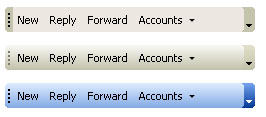
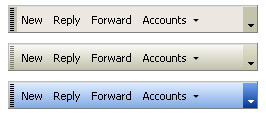
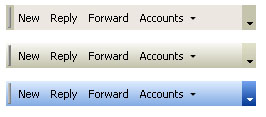
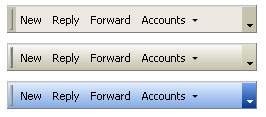
In this section, provided are some illustrations of TrueShape implementation in WebToolBar component. Each style are presented in three color schemes which can be easily customized.
Office 2003
Office XP
Office 2000
IE
WebTab with TrueShape
The following shows some of modern visual styles of WebTab in different color schemes.



Benefits
- Creates professional and great looking visual styles quickly and easily with few properties changes.
- Achieves modern visual styles without the need of images.
- Faster page loading since no images are needed.
- Improved productivity with this time-saving feature, since you no longer need to use external photo editing software and spent time creating the background color, round corners and so on.