Introduction
DesktopManager in WebDesktop.NET introduced two kind of Content Mode. The default is UseInlineContent which used the content defined in the template within the page itself and UseIFrame which will use IFrame as the content source. When configured to use IFrame, developers can easily pick which WebForm to be assigned into each Window by using ClickAndSelect™ feature supported in Visual Studio 2005 or by specifying the content URL when adding new window.
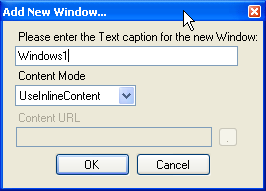
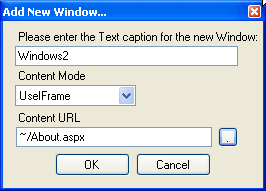
Two advanced features when Window is configured to use IFrame ContentMode are IFrame Transparency and IFrameShowLoader. IFrameTransparency which is set to True by default enable the ContainerStyle of the Window to stay visible and ignoring the background color of the loaded WebPage. IFrameShowLoader is an useful feature which shows a loading progress bar and loading text inside the center of Window during the loading of WebForm in the IFrame. When the WebForm finished loading, the content of the Window will show up immediately. This process of loading, hiding and showing the content are done automatically by DesktopManager and requires no additional codes.
When you choose to UseIFrame as the content mode, you can modify the content file of the IFrame or change the IFrame source's URL simply by clicking the button that linked to the content file.
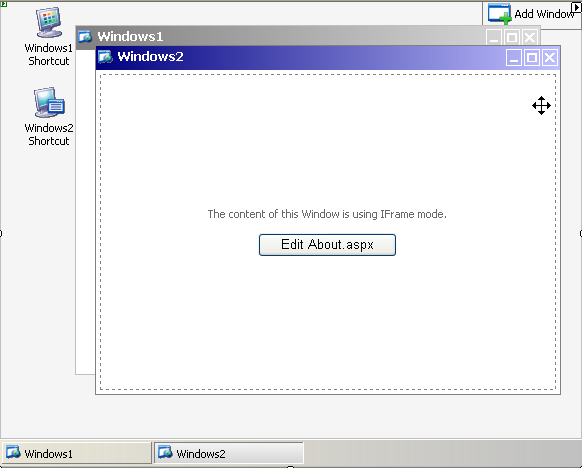
When you choose to UseInlineContent as the content mode, you can instantly editing its content simply by clicking on the editable area and start putting the control or text as you like.
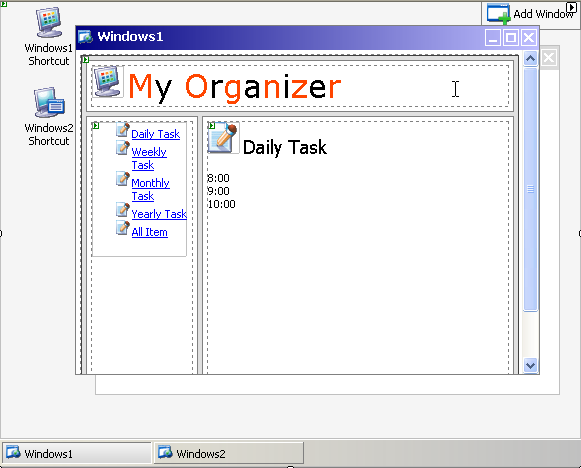
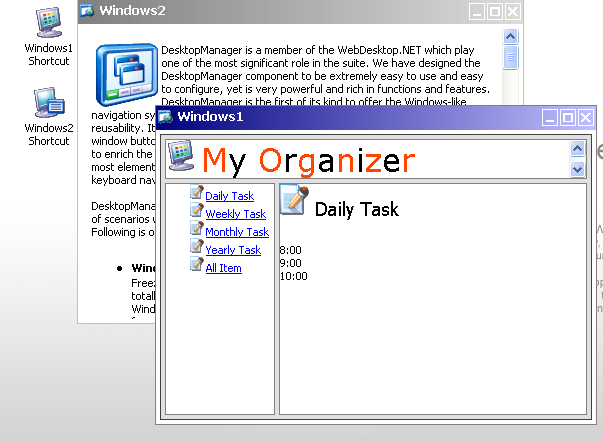
In above example, Windows1 content is containing WebPaneManager control combined with other HTML and WebControls.
When we run the application on the browser, it will look like the following image.